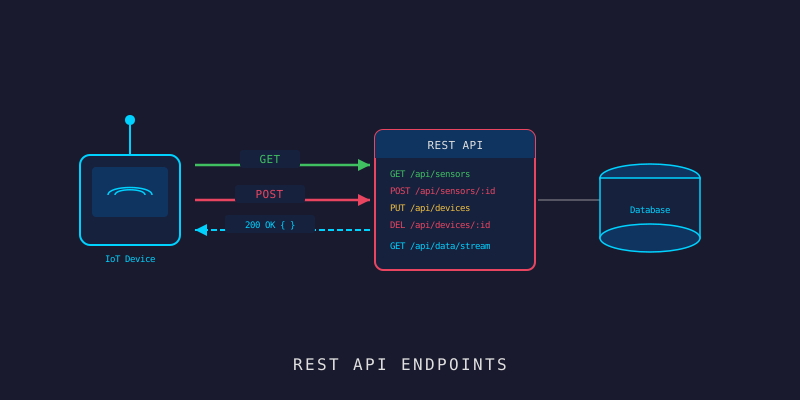
IoT Workshop #6: Device Management API ด้วย Go Fiber
IoT Workshop #6: Device Management API ด้วย Go Fiber
Branch:
step-03-device-apiPhase: Development (3/9) — API Layer Repo: kangana1024/showkhun-workshop
เคยไหมครับ ต่อ IoT device เข้ามาในระบบแล้วไม่รู้ว่ามันยังอยู่ไหม เปิดอยู่ไหม หรือพังไปแล้ว? สองตอนที่ผ่านมาเราวาง foundation (Fiber) กับ database layer (MongoDB + repository) ไว้แล้ว วันนี้ได้เวลา ประกอบมันเป็น REST API ของจริง — ทำระบบ “ทะเบียนบ้าน” ให้ IoT device ที่ลงทะเบียน, ดู, แก้, ลบได้ครบ มาลุยกัน! (ʘ‿ʘ)
ทำไม layer เพิ่งครบตอนนี้? เพราะตอนนี้เรามีของจริงให้แต่ละชั้นทำ: repository (step-02) จัดการ data, service ทำ business logic, handler แปลง HTTP เป็น/จาก service และมี httpx เป็น envelope กลาง บทความนี้อ้างอิงโค้ดจริงใน branch
step-03-device-apiทั้งหมด — รวมถึง unit test ที่รันได้จริงด้วย
สิ่งที่จะได้เรียนรู้
- เข้าใจ layered flow: handler → service → repository ใครทำอะไร
- สร้าง service layer ที่ออก ingestion token ตอน create และ map error ข้าม layer
- เขียน handler ที่บาง — parse, validate, delegate, แปลงผลเป็น JSON envelope
- ใช้ envelope กลาง
httpx:data,error.{code,message,fields},pagination - ทำ list ที่มี filter/sort/pagination แบบปลอดภัย (parse query เอง ไม่เชื่อ input)
- ทำ bulk create ที่ทน partial conflict
- เขียน unit test แบบ table-driven ที่ mock repository โดยไม่ต้องมี MongoDB
ทำไมต้องมี Device Management API?
ลองนึกภาพมี sensor 500 ตัวในโรงงาน แล้วอยากรู้ว่าตัวไหน offline — เดินตรวจทีละตัวคงไม่ไหว API ตรงนี้เลยทำหน้าที่เป็น “แผนกทะเบียน” ของ device ทั้งหมด
เปรียบเหมือนระบบ HR:
POST /devices= รับสมัครพนักงานใหม่ (register device)GET /devices= ดูรายชื่อพนักงาน (list + filter)GET /devices/:id= ดูประวัติคนๆ นึงPUT /devices/:id= แก้ข้อมูลพนักงาน (update)PATCH /devices/:id/status= อัปเดตสถานะอย่างเดียว (online/offline/…)DELETE /devices/:id= ออกจากงานPOST /devices/bulk= รับสมัครหลายคนพร้อมกัน
ภาพรวม: request วิ่งผ่าน 3 ชั้น
ก่อนเขียนโค้ด มาดู flow รวมกันก่อน — WHY ก่อน HOW เสมอ
graph LR
    A[📥 HTTP] --> B[Handler]
    B -->|parse + validate| B
    B -->|delegate| C[Service]
    C -->|business logic| C
    C -->|typed call| D[Repository interface]
    D --> E[(MongoDB)]
    C -.sentinel error.-> B
    B -.httpx envelope.-> F[📤 JSON]
แต่ละชั้นมีหน้าที่เดียวชัดเจน เหมือนแฮมเบอร์เกอร์ที่แต่ละชั้นต่างกัน:
- Handler รู้แค่ HTTP — รับ request, validate, แปลงผลเป็น JSON ไม่รู้จัก MongoDB
- Service รู้แค่ business logic — ออก token, แปลง id, map error ไม่รู้ว่า request มาจาก HTTP หรือ MQTT
- Repository รู้แค่ database (จาก step ที่แล้ว)
Step 1: Envelope กลางด้วย httpx
ก่อนอื่นเราต้องตกลง “หน้าตา response” ให้เป็นมาตรฐานเดียว backend/internal/httpx/response.go คือที่รวม helper พวกนี้ — เพื่อให้ทุก endpoint พูดภาษา wire เดียวกัน:
// errorBody คือ envelope มาตรฐาน: {"error": {"code", "message", "fields"?}}
// mirror รูปแบบที่ Fiber ErrorHandler สร้าง client เลย parse error แบบเดียวพอ
type errorBody struct {
	Code    int               `json:"code"`
	Message string            `json:"message"`
	Fields  map[string]string `json:"fields,omitempty"`
}

// Error เขียน error envelope พร้อม status code และ message
func Error(c *fiber.Ctx, code int, message string) error {
	return c.Status(code).JSON(fiber.Map{
		"error": errorBody{Code: code, Message: message},
	})
}

// ValidationError เขียน 422 พร้อม per-field message
func ValidationError(c *fiber.Ctx, fields map[string]string) error {
	return c.Status(fiber.StatusUnprocessableEntity).JSON(fiber.Map{
		"error": errorBody{
			Code:    fiber.StatusUnprocessableEntity,
			Message: "validation failed",
			Fields:  fields,
		},
	})
}
สังเกต:
error.codeกับerror.messageคือ shape เดียวกับที่ ErrorHandler ใน step-01 สร้าง — เราแค่ต่อยอดfieldsเข้ามาสำหรับ validation ไม่ใช่ของใหม่ที่ขัดกัน client ที่เขียนมาตั้งแต่ step แรกยัง parse ได้เหมือนเดิม
ส่วน list ก็มี envelope ของมันเอง พร้อม pagination metadata:
// Pagination — metadata ที่คืนคู่กับ list
type Pagination struct {
	Total  int64 `json:"total"`
	Limit  int64 `json:"limit"`
	Offset int64 `json:"offset"`
}

// List ห่อ slice + pagination เป็น {"data": [...], "pagination": {...}}
func List(c *fiber.Ctx, data any, p Pagination) error {
	return c.Status(fiber.StatusOK).JSON(fiber.Map{
		"data":       data,
		"pagination": p,
	})
}
ทำไม pagination ใช้
offset/limitไม่ใช่page/total_pages? เพราะ offset pagination ตรงไปตรงมากับ MongoDB (skip/limit) และ client คำนวณหน้าถัดไปเองได้จากoffset + limitไม่ต้องให้ server เดาว่าจะแบ่งหน้ายังไง
Step 2: Service Layer — หัวใจของ business logic
backend/internal/service/service.go ประกาศ sentinel error ของชั้น service ที่ handler จะ map เป็น HTTP status:
var (
	ErrNotFound     = errors.New("service: resource not found")
	ErrConflict     = errors.New("service: resource already exists")
	// ErrInvalidInput = input ที่ผ่าน struct validation แต่ผิด business rule
	// (เช่น ObjectID hex ที่ malformed)
	ErrInvalidInput = errors.New("service: invalid input")
)
internal/service/device.go คือที่ business logic อยู่ ดูตอน Create — มันตั้ง default (offline + enabled), แปลง group id, และ ออก ingestion token ให้ device:
// Create registers a new device from a validated request.
func (s *DeviceService) Create(ctx context.Context, req model.CreateDeviceRequest) (*model.Device, error) {
	d := &model.Device{
		DeviceID:    req.DeviceID,
		Name:        req.Name,
		Description: req.Description,
		Type:        req.Type,
		Status:      model.DeviceStatusOffline,
		Location:    req.Location,
		Tags:        req.Tags,
		Enabled:     true,
	}
	if req.Enabled != nil {
		d.Enabled = *req.Enabled
	}
	if req.GroupID != "" {
		gid, err := bson.ObjectIDFromHex(req.GroupID)
		if err != nil {
			return nil, fmt.Errorf("%w: group_id is not a valid id", ErrInvalidInput)
		}
		d.GroupID = &gid
	}

	// ออก token ที่ device ใช้ authenticate ตอน ingest ทีหลัง
	token, err := newDeviceToken()
	if err != nil {
		return nil, err
	}
	d.Token = token

	if err := s.repo.Create(ctx, d); err != nil {
		return nil, mapRepoError(err)
	}
	return d, nil
}
token เป็น hex 32 byte ที่สุ่มแบบ cryptographic — ปลอดภัยพอที่จะใช้เป็น secret ของ device:
// newDeviceToken returns a cryptographically random 32-byte hex token.
func newDeviceToken() (string, error) {
	b := make([]byte, 32)
	if _, err := rand.Read(b); err != nil {
		return "", fmt.Errorf("generate device token: %w", err)
	}
	return hex.EncodeToString(b), nil // 64 hex chars
}
อุปมา ingestion token: เหมือน บัตรพนักงาน ที่ออกให้ตอนรับเข้าทำงาน device ต้องแสดงบัตรนี้ทุกครั้งที่ส่งข้อมูลเข้ามา ระบบถึงจะรู้ว่า “นี่ของจริงนะ ไม่ใช่คนปลอม”
map error ข้าม layer
จุดที่ทำให้ layer แยกกันสะอาดคือ mapRepoError — แปลง sentinel ของ repository เป็น sentinel ของ service เพื่อให้ handler พึ่งแค่ package service ไม่ต้องรู้จัก repository เลย:
func mapRepoError(err error) error {
	switch {
	case err == nil:
		return nil
	case errors.Is(err, repository.ErrNotFound):
		return ErrNotFound
	case errors.Is(err, repository.ErrConflict):
		return ErrConflict
	default:
		return err
	}
}
ส่วน Update ก็ฉลาดตรงที่ build bson.M เฉพาะ field ที่ส่งมาจริง (จำ pointer field จาก step-02 ได้ไหมครับ) — และจัดการ “ล้าง group” เมื่อส่ง empty string มา:
if req.GroupID != nil {
	if *req.GroupID == "" {
		fields["group_id"] = nil // ล้าง group ออก
	} else {
		gid, err := bson.ObjectIDFromHex(*req.GroupID)
		if err != nil {
			return nil, fmt.Errorf("%w: group_id is not a valid id", ErrInvalidInput)
		}
		fields["group_id"] = gid
	}
}
Step 3: Handler — บางที่สุดเท่าที่จะบางได้
ปรัชญาของ handler คือ บาง: parse → validate → delegate → แปลงผล backend/internal/handler/device.go เริ่มจากนิยาม interface ของ service ที่มันพึ่ง (สังเกตว่า handler พึ่ง interface ไม่ใช่ struct จริง — เพื่อ test ง่าย):
// DeviceService คือ subset ของ service ที่ handler พึ่ง
type DeviceService interface {
	Create(ctx context.Context, req model.CreateDeviceRequest) (*model.Device, error)
	GetByID(ctx context.Context, id string) (*model.Device, error)
	List(ctx context.Context, p service.ListParams) ([]model.Device, int64, error)
	Update(ctx context.Context, id string, req model.UpdateDeviceRequest) (*model.Device, error)
	UpdateStatus(ctx context.Context, id string, status model.DeviceStatus) (*model.Device, error)
	Delete(ctx context.Context, id string) error
	BulkCreate(ctx context.Context, reqs []model.CreateDeviceRequest) (int, error)
}
route ทั้งหมดถูก mount ผ่าน Register ใต้ /api/v1 (เพราะ server เรียก handler.NewDeviceHandler(deps.DeviceService).Register(v1)):
func (h *DeviceHandler) Register(r fiber.Router) {
	g := r.Group("/devices")
	g.Post("/", h.Create)
	g.Post("/bulk", h.BulkCreate)
	g.Get("/", h.List)
	g.Get("/:id", h.GetByID)
	g.Put("/:id", h.Update)
	g.Patch("/:id/status", h.UpdateStatus)
	g.Delete("/:id", h.Delete)
}
endpoint จริงทั้งหมด อยู่ใต้
/api/v1/devices— ยังไม่มี/commands(MQTT) หรือ auth middleware ใน step นี้นะครับ พวกนั้นมาทีหลัง ที่นี่เรา focus CRUD ให้แน่นก่อน
ดู Create เป็นตัวอย่าง handler ที่บางจริง — แค่ 4 บรรทัดหลัก:
func (h *DeviceHandler) Create(c *fiber.Ctx) error {
	var req model.CreateDeviceRequest
	if err := c.BodyParser(&req); err != nil {
		return httpx.Error(c, fiber.StatusBadRequest, "invalid JSON body")
	}
	if err := validate.Struct(req); err != nil {
		return writeValidationError(c, err)
	}

	d, err := h.svc.Create(c.UserContext(), req)
	if err != nil {
		return mapServiceError(c, err)
	}
	return c.Status(fiber.StatusCreated).JSON(fiber.Map{"data": d})
}
token ไปไหน? จำได้ไหมว่า
Device.Tokenมีjson:"-"— เวลา serialize ออก มันหายไปเลย! ดังนั้นแม้ตอน create เราจะ returndata: dตัว token ก็ ไม่หลุดออกไป ใน step นี้ ปลอดภัยโดย default
หัวใจที่ทำให้ handler บางได้คือ mapServiceError — ตัวเดียวที่แปลง sentinel ของ service เป็น HTTP status ที่ถูกต้อง โดยไม่ leak internal:
func mapServiceError(c *fiber.Ctx, err error) error {
	switch {
	case errors.Is(err, service.ErrNotFound):
		return httpx.Error(c, fiber.StatusNotFound, "device not found")
	case errors.Is(err, service.ErrConflict):
		return httpx.Error(c, fiber.StatusConflict, "a device with this device_id already exists")
	case errors.Is(err, service.ErrInvalidInput):
		return httpx.Error(c, fiber.StatusBadRequest, err.Error())
	default:
		// error ที่ไม่รู้จัก: ตอบ 500 โดยไม่ leak internal
		return httpx.Error(c, fiber.StatusInternalServerError, "internal server error")
	}
}
Step 4: List ที่ปลอดภัย — parse query เอง ไม่เชื่อ input
ทำไมต้อง pagination? ถ้ามี device 10,000 ตัวแล้วดึงทีเดียวหมด server พังแน่ครับ แต่จุดสำคัญกว่าคือ — เรา parse query parameter เอง และ reject ค่าที่ไม่ valid แทนที่จะเชื่อ client parseListParams validate ทุก field ก่อนสร้าง ListParams:
func parseListParams(c *fiber.Ctx) (service.ListParams, error) {
	p := service.ListParams{
		Limit:     defaultLimit, // 20
		SortField: "created_at",
		SortOrder: repository.SortDesc,
	}

	if v := c.Query("status"); v != "" {
		status := model.DeviceStatus(v)
		if !status.Valid() { // ใช้ Valid() จาก step-02!
			return p, errors.New("invalid status filter")
		}
		p.Status = &status
	}
	if v := c.Query("type"); v != "" {
		dt := model.DeviceType(v)
		if !dt.Valid() {
			return p, errors.New("invalid type filter")
		}
		p.Type = &dt
	}
	// ... enabled (parse bool), tags (split comma), search (จำกัด 128 ตัว) ...

	if v := c.Query("sort"); v != "" {
		field, order := v, repository.SortDesc
		if strings.HasPrefix(v, "-") {
			field = strings.TrimPrefix(v, "-") // "-name" = desc
		} else {
			order = repository.SortAsc          // "name" = asc
		}
		p.SortField = field
		p.SortOrder = order
	}

	if v := c.Query("limit"); v != "" {
		n, err := strconv.ParseInt(v, 10, 64)
		if err != nil || n < 1 {
			return p, errors.New("limit must be a positive integer")
		}
		if n > maxLimit { // cap ที่ 100
			n = maxLimit
		}
		p.Limit = n
	}
	// ... offset ...
	return p, nil
}
เกร็ด sort: เราใช้ convention
?sort=name(asc) กับ?sort=-name(desc) แบบเดียวกับ REST API ดังๆ ทั่วไป แล้วฝั่ง repository ก็มี whitelist sort field อีกชั้น (จาก step-02) ดังนั้นต่อให้ client ส่ง field มั่วมา ก็ทำอันตรายอะไรไม่ได้
แล้ว List handler ก็แค่เรียก service แล้วห่อด้วย httpx.List:
func (h *DeviceHandler) List(c *fiber.Ctx) error {
	params, err := parseListParams(c)
	if err != nil {
		return httpx.Error(c, fiber.StatusBadRequest, err.Error())
	}
	devices, total, err := h.svc.List(c.UserContext(), params)
	if err != nil {
		return mapServiceError(c, err)
	}
	return httpx.List(c, devices, httpx.Pagination{
		Total:  total,
		Limit:  params.Limit,
		Offset: params.Offset,
	})
}
Step 5: Bulk Create ที่ทน partial failure
ทำไมต้อง bulk? ลองนึกว่ามี device 200 ตัวต้อง register พร้อมกัน — เรียก API ทีละตัว = 200 requests ช้าและเปลือง bulk จบใน call เดียว แต่ความท้าทายคือ partial success — ถ้าตัวที่ 50 ซ้ำ อีก 199 ตัวต้องไม่พังตาม
handler validate ทุก item ก่อน แล้วถ้ามี item ไหนผิด report ด้วย index ชัดเจน ([3].device_id):
func (h *DeviceHandler) BulkCreate(c *fiber.Ctx) error {
	var reqs []model.CreateDeviceRequest
	if err := c.BodyParser(&reqs); err != nil {
		return httpx.Error(c, fiber.StatusBadRequest, "invalid JSON body: expected an array of devices")
	}
	if len(reqs) == 0 {
		return httpx.Error(c, fiber.StatusBadRequest, "at least one device is required")
	}
	if len(reqs) > maxBulkDevices { // cap ที่ 500
		return httpx.Error(c, fiber.StatusRequestEntityTooLarge,
			"too many devices in one request (max "+strconv.Itoa(maxBulkDevices)+")")
	}
	// validate ทุก item ล่วงหน้า เพื่อให้ entry ที่ผิดถูกรายงานชัด
	for i := range reqs {
		if err := validate.Struct(reqs[i]); err != nil {
			var fe validate.FieldErrors
			if errors.As(err, &fe) {
				prefixed := make(map[string]string, len(fe))
				for k, v := range fe {
					prefixed["["+strconv.Itoa(i)+"]."+k] = v
				}
				return httpx.ValidationError(c, prefixed)
			}
			return httpx.Error(c, fiber.StatusUnprocessableEntity, err.Error())
		}
	}

	inserted, err := h.svc.BulkCreate(c.UserContext(), reqs)
	if err != nil {
		if errors.Is(err, service.ErrConflict) {
			// partial success: บาง device_id มีอยู่แล้ว
			return c.Status(fiber.StatusConflict).JSON(fiber.Map{
				"data": fiber.Map{"inserted": inserted, "requested": len(reqs)},
				"error": fiber.Map{
					"code":    fiber.StatusConflict,
					"message": "some devices were skipped due to duplicate device_id",
				},
			})
		}
		return mapServiceError(c, err)
	}
	return c.Status(fiber.StatusCreated).JSON(fiber.Map{
		"data": fiber.Map{"inserted": inserted, "requested": len(reqs)},
	})
}
สังเกตว่า partial conflict ตอบ 409 พร้อมทั้ง
dataและerror— บอกว่าใส่ได้กี่ตัว (inserted) จากที่ขอมากี่ตัว (requested) เพราะในโลก IoT partial success เป็นเรื่องปกติ ไม่ควรทำเหมือนล้มเหลวทั้งหมด
Step 6: Unit Test ที่ไม่ต้องมี MongoDB
นี่คือผลตอบแทนของการออกแบบ layer ดีๆ — เรา test service ได้โดยไม่ต้องมี database จริง backend/internal/service/device_test.go ใช้ mock repository แบบ hand-rolled (ไม่ต้องพึ่ง mocking framework):
// mockDeviceRepo — mock ของ repository.DeviceRepository ทุก method
// delegate ไป function field เพื่อให้แต่ละ test โปรแกรม behavior เองได้
type mockDeviceRepo struct {
	createFn     func(ctx context.Context, d *model.Device) error
	getByIDFn    func(ctx context.Context, id bson.ObjectID) (*model.Device, error)
	listFn       func(ctx context.Context, p repository.DeviceListParams) ([]model.Device, int64, error)
	updateFn     func(ctx context.Context, id bson.ObjectID, fields bson.M) (*model.Device, error)
	deleteFn     func(ctx context.Context, id bson.ObjectID) error
	bulkCreateFn func(ctx context.Context, devices []model.Device) (int, error)
	// ...
}
แล้วก็เป็น table-driven test ที่ครอบทุก case — ดูตัวอย่าง Create ที่เช็คว่า default ถูก (enabled, offline) และ token ยาว 64 hex chars:
{
	name: "success defaults enabled and offline status with token",
	req: model.CreateDeviceRequest{
		DeviceID: "sensor-001",
		Name:     "Sensor 1",
		Type:     model.DeviceTypeTemperatureHumidity,
	},
	repo: &mockDeviceRepo{
		createFn: func(_ context.Context, d *model.Device) error {
			d.ID = bson.NewObjectID()
			return nil
		},
	},
	assertFunc: func(t *testing.T, d *model.Device) {
		if !d.Enabled {
			t.Error("expected device to default to enabled")
		}
		if d.Status != model.DeviceStatusOffline {
			t.Errorf("status = %q, want offline", d.Status)
		}
		if len(d.Token) != 64 { // 32 random bytes hex-encoded
			t.Errorf("token length = %d, want 64", len(d.Token))
		}
	},
},
case อื่นๆ ก็ครบ: respect enabled=false ที่ส่งมา, parse group id ที่ถูก, reject group id ที่ malformed (ErrInvalidInput), และ map duplicate เป็น ErrConflict ส่วน BulkCreate ก็มี case “partial conflict reports inserted count”:
{
	name: "partial conflict reports inserted count and conflict error",
	reqs: reqs,
	repo: &mockDeviceRepo{
		bulkCreateFn: func(_ context.Context, _ []model.Device) (int, error) {
			return 1, repository.ErrConflict
		},
	},
	wantInserted: 1,
	wantErr:      ErrConflict,
},
รัน test ด้วย:
make test
# cd backend && go test ./...
# ok  .../internal/service   (Create, GetByID, Update, List, Delete, BulkCreate)
# ok  .../internal/config
ทำไม mock เองแทนใช้ mockgen? เพราะ mock แบบ function-field มัน อ่านง่ายและอยู่ใกล้ test — แต่ละ case เห็นเลยว่า repo จะตอบอะไร ไม่ต้องไปไล่หา generated file ที่อื่น สำหรับ workshop แบบนี้มันชัดกว่าเยอะ
ลองยิง API จริง!
make up    # MongoDB ต้องขึ้นก่อน
make run   # backend ที่ :3000
Register device
curl -s -X POST http://localhost:3000/api/v1/devices \
  -H "Content-Type: application/json" \
  -d '{
    "device_id": "sensor-temp-001",
    "name": "Temperature Sensor - Building A",
    "type": "temperature_humidity",
    "location": { "building": "A", "floor": 3, "room": "301" },
    "tags": ["temperature", "humidity"]
  }' | jq
ได้ 201 พร้อม device (token ไม่หลุดออกมาเพราะ json:"-"):
{
  "data": {
    "id": "65f1234567890abcdef12345",
    "device_id": "sensor-temp-001",
    "name": "Temperature Sensor - Building A",
    "type": "temperature_humidity",
    "status": "offline",
    "enabled": true,
    "created_at": "2026-03-26T10:00:00Z"
  }
}
List + filter + sort
# device แบบ temperature_humidity ที่ offline เรียงตามชื่อ
curl -s "http://localhost:3000/api/v1/devices?type=temperature_humidity&status=offline&sort=name&limit=20" | jq
{
"data": [ { "device_id": "sensor-temp-001", "status": "offline" } ],
"pagination": { "total": 1, "limit": 20, "offset": 0 }
}อัปเดตสถานะอย่างเดียว
curl -s -X PATCH http://localhost:3000/api/v1/devices/65f1234567890abcdef12345/status \
  -H "Content-Type: application/json" \
  -d '{ "status": "online" }' | jq
หน้าตา validation error
ลองส่ง type มั่วๆ ดู — จะได้ 422 พร้อมบอก field ที่ผิดชัดเจน:
{
  "error": {
    "code": 422,
    "message": "validation failed",
    "fields": {
      "device_id": "is required",
      "type": "must be one of: temperature_humidity motion relay gateway"
    }
  }
}
error ที่ดีต้องบอกชัดว่า field ไหนผิดและผิดยังไง — เหมือนครูที่แก้การบ้านแล้วบอกว่าข้อไหนผิดเพราะอะไร ไม่ใช่เขียนแค่ “ผิด” ไว้เฉยๆ
   ╔══════════════════════════════════╗
   ║       (ง •̀_•́)ง                    ║
   ║   "CRUD ครบ + test เขียว!"          ║
   ╚══════════════════════════════════╝
สรุป: เราทำอะไรไปบ้าง
| ส่วนประกอบ | รายละเอียด |
|---|---|
| httpx envelope | data / error.{code,message,fields} / pagination.{total,limit,offset} |
| Service | ออก ingestion token, แปลง id, mapRepoError แยก layer |
| Handler | บางจริง — parse/validate/delegate + mapServiceError |
| Endpoints | POST /devices, /bulk, GET /, GET/PUT/DELETE /:id, PATCH /:id/status |
| List | parse query เอง + Valid() enum + cap limit 100 + sort -field |
| Bulk | cap 500 + ทน partial conflict (409 พร้อม inserted/requested) |
| Test | table-driven + hand-rolled mock repo — ไม่ต้องมี MongoDB |
หัวใจของ step นี้คือ — ทุกชั้นพึ่ง interface ไม่ใช่ของจริง เลย test ได้ลึก, error ไหลข้าม layer แบบสะอาด (repo sentinel → service sentinel → HTTP status), และ token ปลอดภัยโดย default เพราะ json:"-"
Next Step
ตอนหน้าเราจะทำ Sensor Data Ingestion — รับ telemetry ที่ไหลเข้ามาตลอดเวลาแบบ real-time แล้วเขียนลง InfluxDB เป็นจุดที่ ingestion token ที่เราออกในตอนนี้จะถูกใช้งานจริง มาลุยต่อกันนะครับน้องๆ! ٩(◕‿◕。)۶
Navigation
- ก่อนหน้า: IoT Workshop #5: MongoDB Models & Repository
- ถัดไป: IoT Workshop #7: Sensor Data Ingestion
- แผนการ Workshop ทั้งหมด: IoT Workshop Master Plan