IoT Workshop #2: ออกแบบ Database ให้ไม่งง
IoT Workshop #2: ออกแบบ Database ให้ไม่งง
Branch:
step-02-mongodb-models+step-07-influx-setup— อ้างอิงโค้ดจากstep-19-e2ePhase: Planning (2/3) Repo: kangana1024/showkhun-workshop
ถามจริงๆ น้องๆ เคยสงสัยไหมว่าทำไม IoT system ถึงต้องใช้ database หลายตัว? ใช้ MySQL ตัวเดียวไม่ได้เหรอ? คำตอบคือ “ได้ แต่จะเจ็บปวดมาก” 555 — มาลุยกันเลยดีกว่า เราจะออกแบบ data layer ทั้งหมดตามที่ implement จริง พร้อม WHY ก่อน HOW เสมอ!
สิ่งที่น้องๆ จะได้เรียนรู้
- WHY ต้องใช้ 2 databases — MongoDB กับ InfluxDB ต่างกันยังไง
- โครงสร้าง MongoDB collections จริง:
devices,users,device_groups,alert_rules,alert_history - เทคนิค index ที่ใช้จริง — unique, compound และ TTL index บน
expires_at - InfluxDB 2.7 buckets/measurements/tags/fields ที่ backend เขียนจริง (ไม่ใช่ retention policy แบบ 1.8)
- หลัก tags vs fields ที่กัน high-cardinality trap
- อ่านข้อมูลกลับด้วย Flux (ไม่ใช่ InfluxQL)
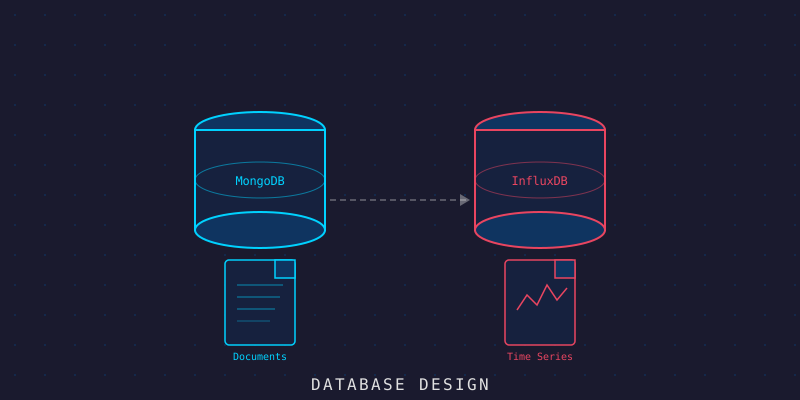
WHY ก่อน: ทำไมต้องใช้ 2 Databases?
ลองนึกภาพแบบนี้นะ — ข้อมูลใน IoT system มี 2 แบบที่ ต่างกันโดยสิ้นเชิง:
อุปมาอุปไมย: ลองนึกถึงสมุดโทรศัพท์ VS ไดอารี่บันทึกประจำวัน
- สมุดโทรศัพท์ (MongoDB) — ข้อมูล device, user, group, alert rule — อ่านได้, แก้ได้, ลบได้, มี structure ซับซ้อน
- ไดอารี่ (InfluxDB) — sensor readings — เขียนเพิ่มทุกวินาที, ย้อนดูตามช่วงเวลา, ไม่ค่อยแก้ไข
ถ้าเอา “ไดอารี่” ไปเก็บใน “สมุดโทรศัพท์” เดียวกัน เดี๋ยวสมุดโทรศัพท์จะหนาจนยกไม่ขึ้น (และ query ช้าสุดๆ)
( ╥ω╥ ) ← สภาพ DBA ที่ยอมเก็บ time-series ใน MySQL| Database | ใช้ทำอะไร | ลักษณะข้อมูล |
|---|---|---|
| MongoDB 8 | Device registry, users, groups, alert rules/history | Document-based, CRUD-heavy, schema ซับซ้อนได้ |
| InfluxDB 2.7 | Sensor readings (telemetry) | Append-only, เรียงตามเวลา, query ด้วย Flux เร็วมาก |
┌──────────────────────────────────────────────────┐
│                   Data Layer                      │
│                                                   │
│  ┌─────────────────┐  ┌────────────────────────┐  │
│  │    MongoDB       │  │      InfluxDB 2.7      │  │
│  │  (สมุดโทรศัพท์)  │  │       (ไดอารี่)        │  │
│  │                 │  │                        │  │
│  │  - devices      │  │  bucket: iot_workshop  │  │
│  │  - users        │  │   └ sensor_data        │  │
│  │  - device_groups│  │   └ telegraf_sensor_data│ │
│  │  - alert_rules  │  │  bucket:               │  │
│  │  - alert_history│  │   iot_workshop_downsampled│ │
│  │    (TTL index)  │  │                        │  │
│  └─────────────────┘  └────────────────────────┘  │
└──────────────────────────────────────────────────┘
หมายเหตุสำคัญ: ในโค้ดจริง ไม่มี collection
commands_logหรือconfigsแยก — command ถูก publish ผ่าน MQTT ตรงๆ (ไม่ persist เป็น collection) และ config ของ device ฝังอยู่ใน device document เอง เราจะออกแบบตามของจริงเท่านั้น ไม่เพิ่มสิ่งที่ไม่ได้ใช้
ภาพรวม Data Model ทั้งหมด
ก่อนลงรายละเอียด ขอให้เห็น big picture ก่อนนะ — collections เชื่อมกันยังไง:
erDiagram
    USERS ||--o{ DEVICES : owns
    USERS ||--o{ DEVICE_GROUPS : owns
    USERS ||--o{ ALERT_RULES : owns
    DEVICE_GROUPS ||--o{ DEVICES : groups
    DEVICE_GROUPS ||--o{ DEVICE_GROUPS : nests
    ALERT_RULES ||--o{ ALERT_HISTORY : triggers
    DEVICES ||--o{ ALERT_HISTORY : "by device_id"
    USERS {
        ObjectId _id
        string email UK
        string username UK
        string password_hash
        string role
    }
    DEVICES {
        ObjectId _id
        string device_id UK
        string type
        string status
        ObjectId group_id FK
        string token
    }
    DEVICE_GROUPS {
        ObjectId _id
        string name
        ObjectId parent_id FK
    }
    ALERT_RULES {
        ObjectId _id
        string type
        object condition
        string device_id
        int cooldown_seconds
    }
    ALERT_HISTORY {
        ObjectId _id
        ObjectId rule_id FK
        string device_id
        datetime expires_at "TTL"
    }
โอเค ตอนนี้เห็นภาพแล้ว มาลงรายละเอียดแต่ละ collection กัน!
MongoDB Collections
โครงสร้างทุก collection map ตรงกับ Go struct ใน backend/internal/model/ — มี BSON tag กำกับว่า field ไหนเก็บลง Mongo ยังไง
1. devices Collection — หัวใจของระบบ
นี่คือ collection ที่สำคัญที่สุด เป็น “ทะเบียนบ้าน” ของ device ทุกตัว เก็บประเภท, ตำแหน่ง, status, tag และ ingestion token (ไม่เคย serialize ออก API):
// devices collection (จาก model.Device)
{
  _id: ObjectId("..."),
  device_id: "sensor-temp-001",          // unique, human-readable id
  name: "Temperature Sensor #1",
  description: "ห้องเซิร์ฟเวอร์ ชั้น 3",
  type: "temperature_humidity",          // temperature_humidity | motion | relay | gateway
  status: "online",                      // online | offline | error | maintenance
  group_id: ObjectId("..."),             // อ้างอิง device_groups (optional)
  owner_id: ObjectId("..."),             // อ้างอิง users
  location: {                            // optional, nested
    building: "อาคาร A",
    floor: 3,
    room: "Server Room",
    latitude: 13.7563,
    longitude: 100.5018
  },
  tags: ["server-room", "critical", "floor-3"],
  enabled: true,
  token: "<ingestion-token>",            // json:"-" → ไม่หลุดออก API
  last_seen_at: ISODate("2026-03-26T10:30:00Z"),
  created_at: ISODate("2026-01-15T08:00:00Z"),
  updated_at: ISODate("2026-03-26T10:30:00Z")
}
Index ที่สร้างจริง (จาก repository/mongo/device.go → EnsureIndexes):
db.devices.createIndex({ device_id: 1 }, { unique: true, name: "uniq_device_id" })
db.devices.createIndex({ status: 1, type: 1 },         { name: "status_type" })
db.devices.createIndex({ group_id: 1 },                { name: "group_id" })
db.devices.createIndex({ tags: 1 },                    { name: "tags" })
db.devices.createIndex({ created_at: -1 },             { name: "created_at_desc" })
Tips จากพี่: เราไม่เก็บ “ค่าล่าสุดที่วัดได้” ลงใน device document — ค่าล่าสุดอ่านจาก InfluxDB ด้วย Flux (
last()) เอา เพราะ time-series เป็นเจ้าของข้อมูล reading จริงๆ device เก็บแค่last_seen_atไว้ดูว่า device ยังมีชีวิตอยู่ไหม
2. users Collection — จัดการคนที่ใช้ระบบ
จุดสำคัญ: password เก็บเป็น argon2id (ไม่ใช่ bcrypt) และมี field ที่เกี่ยวกับ refresh-token rotation เพื่อความปลอดภัย:
// users collection (จาก model.User)
{
  _id: ObjectId("..."),
  email: "[email protected]",
  username: "admin",
  password_hash: "$argon2id$v=19$m=65536,t=3,p=2$...",  // json:"-"
  role: "admin",                         // admin | operator | viewer
  display_name: "สมชาย ดีงาม",
  is_active: true,
  token_version: 0,                      // bump เพื่อ revoke token ทั้ง family
  refresh_token_hash: "<sha256 ของ jti>", // json:"-" (กัน refresh-token replay)
  last_login_at: ISODate("2026-03-26T08:00:00Z"),
  created_at: ISODate("2026-01-01T00:00:00Z"),
  updated_at: ISODate("2026-03-26T08:00:00Z")
}
Index ที่สร้างจริง:
db.users.createIndex({ email: 1 },      { unique: true, name: "uniq_email" })
db.users.createIndex({ username: 1 },   { unique: true, name: "uniq_username" })
db.users.createIndex({ created_at: -1 }, { name: "created_at_desc" })
สิทธิ์ในระบบจริงเป็นแบบ role-based (RBAC) 3 ระดับ:
viewer(อ่าน),operator(เพิ่มสิทธิ์ mutation),admin(จัดการ user) — ไม่ใช่ permission array แบบ fine-grained บังคับสิทธิ์ที่ฝั่ง server ทุก route (รายละเอียดใน #21 Auth & RBAC)
3. device_groups Collection — จัดกลุ่ม device
เหมือน “folder” สำหรับจัด device ให้เป็นระเบียบ รองรับ nested groups (group ใน group ได้):
// device_groups collection (จาก model.DeviceGroup)
{
  _id: ObjectId("..."),
  name: "Server Room Sensors",
  description: "เซ็นเซอร์ทั้งหมดในห้องเซิร์ฟเวอร์",
  parent_id: null,                       // อ้างอิง group แม่ (nested)
  owner_id: ObjectId("..."),
  color: "#FF6B35",
  icon: "server",
  created_at: ISODate("2026-01-15T08:00:00Z"),
  updated_at: ISODate("2026-03-26T10:00:00Z")
}
4. alert_rules Collection — กฎการแจ้งเตือน
นี่คือ “หน้าที่เจ้าหน้าที่รักษาความปลอดภัย” รองรับ rule 3 type โดย field ใน condition ใช้ต่างกันตาม type:
// alert_rules collection (จาก model.AlertRule)
{
  _id: ObjectId("..."),
  name: "High Temperature Alert",
  description: "แจ้งเตือนเมื่ออุณหภูมิเกิน 40°C",
  type: "threshold",                     // threshold | offline | anomaly
  condition: {
    // threshold ใช้: metric + operator + value
    metric: "temperature",
    operator: "gt",                      // gt | gte | lt | lte | eq | neq
    value: 40,
    // offline ใช้: offline_after_seconds
    // anomaly  ใช้: metric + zscore_threshold
  },
  severity: "critical",                  // info | warning | critical
  device_id: "sensor-temp-001",          // เว้นว่าง = ใช้กับทุก device
  cooldown_seconds: 900,                 // กัน spam ต่อ rule+device
  enabled: true,
  owner_id: ObjectId("..."),
  created_at: ISODate("2026-02-01T00:00:00Z"),
  updated_at: ISODate("2026-03-20T00:00:00Z")
}
Index ที่สร้างจริง:
db.alert_rules.createIndex({ enabled: 1, device_id: 1 }, { name: "enabled_device" })
db.alert_rules.createIndex({ type: 1 },                  { name: "type" })
cooldown_secondsสำคัญมาก! ถ้าไม่มี พออุณหภูมิสูงค้างไว้ ทุก reading จะยิง alert รัวๆ จน Slack แตก — มันเป็นวินาที (ไม่ใช่นาที) ตาม field จริง
5. alert_history Collection — ประวัติการแจ้งเตือน + TTL
เก็บทุกครั้งที่ rule ยิงจริง และมี TTL index ให้ Mongo ลบ record เก่าทิ้งเอง:
// alert_history collection (จาก model.AlertHistory)
{
  _id: ObjectId("..."),
  rule_id: ObjectId("..."),
  rule_name: "High Temperature Alert",
  type: "threshold",
  device_id: "sensor-temp-001",
  severity: "critical",
  metric: "temperature",
  value: 42.3,
  message: "High Temperature Alert on sensor-temp-001: temperature = 42.3 gt 40",
  triggered_at: ISODate("2026-03-26T10:30:00Z"),
  expires_at: ISODate("2026-06-24T10:30:00Z")   // TTL anchor
}
Index ที่สร้างจริง (จาก repository/mongo/alert.go):
// TTL index — ลบ document เมื่อ "expires_at" ผ่านไป (expireAfterSeconds: 0)
db.alert_history.createIndex({ expires_at: 1 },
  { name: "ttl_expires_at", expireAfterSeconds: 0 })

db.alert_history.createIndex({ rule_id: 1, device_id: 1, triggered_at: -1 },
  { name: "rule_device_time" })
TTL Index แบบนี้เจ๋งกว่าที่คิด — เราตั้ง
expireAfterSeconds: 0แล้วให้แต่ละ document พกexpires_atของตัวเองมา (backend ตั้ง =triggered_at + 90 วัน) Mongo จะลบทิ้งทันทีที่expires_atผ่านไป ยืดหยุ่นกว่าการตั้ง TTL คงที่บนcreated_at— และไม่ต้องเขียน cron ลบเอง
InfluxDB 2.7 Schema Design
WHY InfluxDB? ทำไมไม่ใช้ MongoDB เก็บ sensor data เลย?
อุปมา: เหมือนถามว่า “ทำไมต้องใช้ Excel ทำ pivot table ทั้งที่ Word ก็พิมพ์ตารางได้?” — ทำได้ แต่มันไม่ได้ถูก design มาเพื่องานนั้น
InfluxDB ถูก optimize มาเพื่อ time-series โดยเฉพาะ — query 30 วันย้อนหลัง ทีละ 1 นาที บน device 100 ตัว ทำได้ใน milliseconds
⚠️ เลิกใช้ retention policy / continuous query แบบ InfluxDB 1.8 แล้ว! workshop นี้ใช้ InfluxDB 2.7 ซึ่งจัดการด้วย bucket + retention + Flux ไม่ใช่
CREATE RETENTION POLICY/CREATE CONTINUOUS QUERYแบบ InfluxQL เดิม
Buckets & Retention (2.x)
ใน InfluxDB 2.x หน่วยเก็บข้อมูลคือ bucket (มี retention ในตัว) ไม่ใช่ database + retention policy แบบเก่า backend สร้าง bucket ให้อัตโนมัติตอน startup (ปิดได้ด้วย APP_INFLUX_ENSURE_BUCKETS=false):
| Bucket | env | Retention (default) | ใช้ทำอะไร |
|---|---|---|---|
iot_workshop | APP_INFLUX_BUCKET | APP_INFLUX_RAW_RETENTION=720h (30 วัน) | ข้อมูล raw จาก backend + Telegraf |
iot_workshop_downsampled | APP_INFLUX_DOWNSAMPLE_BUCKET | APP_INFLUX_DOWNSAMPLE_RETENTION=8760h (1 ปี) | ข้อมูลที่ downsample แล้ว (retention ยาวกว่า) |
retention ใช้ Go duration (ไม่มี suffix
d) — วันแปลงเป็นชั่วโมง: 30d = 720h, 365d = 8760h ส่วน org คือshowkhun(envAPP_INFLUX_ORG)
Measurement: sensor_data (backend เขียน)
ใน InfluxDB ไม่เรียก “collection” แต่เรียก measurement — คิดซะว่าคือ “ชื่อตาราง” backend เขียน point ลง measurement นี้พร้อม tag ที่ดึงจาก registry:
sensor_data  (env: APP_INFLUX_MEASUREMENT)
├── Tags (indexed, string only) ← ใช้ filter / group
│   ├── device_id    = "sensor-temp-001"   (จาก registry)
│   ├── device_type  = "temperature_humidity" (จาก registry)
│   ├── group_id     = "<ObjectId hex>"    (จาก registry, ถ้ามี group)
│   └── (+ payload tags) location / zone / unit / source ...
│
├── Fields (not indexed, numeric) ← ค่าจริงที่วัดได้
│   ├── temperature  = 25.5    (float)
│   ├── humidity     = 60.2    (float)
│   └── ... ทุกค่าใน payload "fields"
│
└── Timestamp = payload "timestamp" (ถ้ามี) หรือเวลาที่ ingest
Tags vs Fields — นี่คือจุดที่คนสับสนบ่อยที่สุด! Tags เปรียบเหมือน “หมวดหมู่” ที่ index แล้ว (low-cardinality) ส่วน Fields คือ “ค่าที่วัดได้จริง” (numeric) ถ้าเอา
temperatureไปเป็น tag ระบบจะพัง เพราะ cardinality สูงมาก — model จริงบังคับFields map[string]float64กับTags map[string]stringแยกกันชัดเจน
Write example (Line Protocol):
sensor_data,device_id=sensor-temp-001,device_type=temperature_humidity,location=room-a temperature=25.5,humidity=60.2 1711443000000000000Measurement: telegraf_sensor_data (Telegraf เขียน)
Telegraf subscribe devices/+/telemetry เหมือน backend แต่เขียน measurement ของตัวเอง เพื่อกัน double-write:
telegraf_sensor_data  (bucket เดียวกัน: iot_workshop)
├── Tags
│   ├── device_id  = ดึงจาก topic segment ที่ 2
│   └── location / zone / unit / source  (optional, จาก payload "tags")
├── Fields = ทุกค่าตัวเลขใน payload "fields" (converter coerce เป็น float)
└── Timestamp = เวลาที่ message มาถึง (Telegraf path ไม่ bind timestamp ของ payload)
ทำไมต้องแยก measurement? ถ้า backend และ Telegraf เขียน
sensor_dataตัวเดียวกัน ข้อมูลจะถูกเก็บ ซ้ำสองรอบ การให้ Telegraf เขียนtelegraf_sensor_dataทำให้สอง path เป็นแบบ “เพิ่มเข้ามา” ไม่ใช่ “ซ้ำ” เทียบกันได้ตรงๆ ใน workshop (production เลือก canonical writer ตัวเดียว)
Data Flow — ข้อมูลไหลยังไงตั้งแต่ sensor จนถึง database?
graph LR
    S[🌡️ Sensor] -->|MQTT| B[📡 Mosquitto]
    S -->|REST| G[🖥️ Go Backend]
    B -->|subscribe| G
    B -->|subscribe| T[🔁 Telegraf]
    G -->|validate vs registry| M[(🍃 MongoDB)]
    G -->|write sensor_data| I[(📈 InfluxDB)]
    T -->|write telegraf_sensor_data| I
    G -->|Flux read| I
เห็นไหมว่า Telegraf กับ Go Backend ทำงานคู่ขนานกัน — Telegraf เป็น “สายพานอัตโนมัติ” ที่ยกข้อมูลเข้า InfluxDB แบบ config ล้วน ส่วน Go Backend ทำมากกว่า: validate กับ registry, เติม tag, fan-out WebSocket และ run alert engine
Query Patterns — ตัวอย่าง Queries ที่ใช้บ่อย
MongoDB Queries (typed filter)
// device ที่ online ในกลุ่มหนึ่ง เรียงตามชื่อ
db.devices.find({
  group_id: ObjectId("..."),
  status: "online",
  enabled: true
}).sort({ name: 1 })

// rule ที่ enabled สำหรับ device หนึ่ง (engine ใช้ตอนประเมิน)
db.alert_rules.find({
  enabled: true,
  $or: [{ device_id: "sensor-temp-001" }, { device_id: { $exists: false } }, { device_id: "" }]
})

// ประวัติ alert ล่าสุดของ device
db.alert_history.find({ device_id: "sensor-temp-001" })
  .sort({ triggered_at: -1 }).limit(20)
InfluxDB Queries (Flux — ไม่ใช่ InfluxQL)
InfluxDB 2.x ใช้ภาษา Flux อ่านข้อมูล ในระบบจริง backend สร้าง Flux query แบบ bounded + parameterised (ไม่ interpolate ค่าของ user ลง query string ตรงๆ กัน injection):
// readings ดิบของ device ย้อนหลัง 6 ชั่วโมง (เฉพาะ field temperature)
from(bucket: "iot_workshop")
  |> range(start: -6h)
  |> filter(fn: (r) => r._measurement == "sensor_data")
  |> filter(fn: (r) => r.device_id == "sensor-temp-001")
  |> filter(fn: (r) => r._field == "temperature")
  |> limit(n: 200)

// downsample ค่าเฉลี่ยรายชั่วโมง 24 ชั่วโมงล่าสุด
from(bucket: "iot_workshop")
  |> range(start: -24h)
  |> filter(fn: (r) => r._measurement == "sensor_data" and r.device_id == "sensor-temp-001")
  |> aggregateWindow(every: 1h, fn: mean)

// ค่าล่าสุดต่อ device
from(bucket: "iot_workshop")
  |> range(start: -1h)
  |> filter(fn: (r) => r._measurement == "sensor_data")
  |> last()
backend เปิด API ให้เรียก Flux เหล่านี้ผ่าน REST:
GET /api/v1/devices/:id/readingsและGET /api/v1/sensors/queryรับ query paramrange,window,aggregate(mean|max|min|sum|last|first|count),field,limitทุกค่าถูก clamp กับ ceiling ใน config (APP_INFLUX_MAX_QUERY_RANGE,APP_INFLUX_MAX_QUERY_POINTS)
Migration & Seed Data Plan
MongoDB — Indexes อัตโนมัติ + Seed Admin
ไม่ต้องเขียน migration script แยก! backend เรียก EnsureIndexes ของแต่ละ repository ตอน startup (idempotent ปลอดภัยทุกครั้ง) ส่วน admin คนแรก seed ด้วย Makefile — โดยรหัสผ่านให้พิมพ์ตอน prompt เอง ไม่มีรหัสผ่านตัวอย่างให้ copy:
# สร้าง JWT secret (อย่างน้อย 32 bytes) — ใส่ใน APP_AUTH_JWT_SECRET
openssl rand -base64 48

# bootstrap admin คนแรก (ทำงานครั้งเดียวตอน users collection ว่าง)
# พิมพ์รหัสผ่านตอน prompt — ไม่โผล่บนจอ ไม่ติด shell history และไม่ต้องเขียนลงไฟล์
read -rsp 'Admin password: ' ADMIN_PASSWORD; echo
make seed-admin [email protected] ADMIN_PASSWORD="$ADMIN_PASSWORD"
unset ADMIN_PASSWORD
ไม่ใช้ JSON-schema validator บน collection — เราบังคับ format ที่ application layer ด้วย
go-playground/validator(model มีvalidate:"..."tag) และ enum type ของ Go (DeviceType.Valid(),AlertRuleType.Valid()ฯลฯ) ซึ่งจับ garbage data ได้ตั้งแต่ก่อนถึง Mongo
InfluxDB — Provision ผ่าน Docker + Ensure ตอน startup
# infra/docker-compose.yml ตั้ง org/bucket/token ให้อัตโนมัติด้วย DOCKER_INFLUXDB_INIT_*
# backend EnsureBuckets() ตอน startup: สร้าง bucket raw + downsampled + align retention
# (ปิดได้ด้วย APP_INFLUX_ENSURE_BUCKETS=false ถ้า token เป็น read-only)
สรุป — เราได้ออกแบบอะไรไปบ้าง?
ใน workshop #2 นี้เราลุยกันไปเยอะมาก:
- MongoDB Schema — 5 collections จริง (
devices,users,device_groups,alert_rules,alert_history) พร้อม index ที่ใช้จริง รวม TTL index บนexpires_at - InfluxDB 2.7 Schema — 2 bucket (raw + downsampled) และ 2 measurement (
sensor_dataจาก backend +telegraf_sensor_dataจาก Telegraf) แยก tags/fields ตามหลัก time-series - Flux query — อ่านข้อมูลกลับด้วย Flux แบบ bounded + parameterised (ไม่ใช่ InfluxQL/retention policy แบบ 1.8)
- Query Patterns — ตัวอย่างจริงทั้ง Mongo (typed filter) และ InfluxDB (Flux)
- Seed/Migration — index auto ตอน startup + seed admin ผ่าน Makefile, validate ที่ application layer
(ง •̀_•́)ง Database design เสร็จแล้ว! ตอนนี้น้องๆ ควรเห็นชัดว่า data ทุก type อยู่ที่ไหน เก็บยังไง และเชื่อมกันด้วยอะไร — นั่นคือ foundation ที่แข็งแกร่งก่อนจะลงมือ code จริง
Navigation:
- Prev: #1 System Architecture
- Next: #3 Project Setup & DevOps