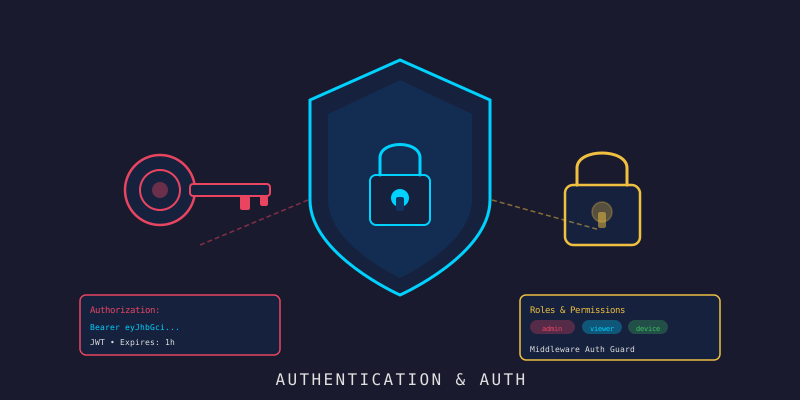
ทำระบบ Auth + RBAC ให้ IoT Platform
Branch:
step-18-admin-authPhase: Development (18/19) — Admin Console Repo: kangana1024/showkhun-workshop
เฮ้ น้องๆ ครั้งนี้เราจะมาทำอะไร? (ง่ะ)
 ___________________________________
|                                   |
|   ใครๆ ก็เข้าระบบได้ = อันตราย!  |
|___________________________________|
        \   ^__^
         \  (oo)\_______
            (__)\       )\/\
                ||----w |
                ||     ||
ลองนึกภาพนะ ถ้าเปิดร้านอาหาร แล้วให้ทุกคนเดินเข้าครัวได้เลย… คงวุ่นวายน่าดู ใช่มั้ย?
ระบบ IoT ก็เหมือนกัน — เราต้องการ ยาม (Authentication) และ ป้ายบอกว่าใครทำอะไรได้บ้าง (RBAC) ไม่งั้นใครก็มา delete device ทิ้งได้หมด
โพสต์นี้เราจะทำระบบ Auth แบบ จริงจังระดับ production — JWT ที่เปรียบเหมือน “บัตรผ่าน” แบบมีวันหมดอายุ และ RBAC ที่เหมือน “ระดับสิทธิ์พนักงาน” แต่ที่สำคัญคือเราจะ harden มันให้ดีตามแนวทาง security best-practice: argon2id, refresh rotation, reuse detection, rate limiting มาลุยกัน!
เกร็ดสำคัญ: backend ของโปรเจกต์นี้เป็น Go + Fiber v2 (ไม่ใช่ Gin), เก็บ password ด้วย argon2id (ไม่ใช่ bcrypt), ใช้ mongo-driver v2 และ golang-jwt v5 — โพสต์นี้อ้างอิงตามโค้ดจริงใน branch
step-18-admin-authทั้งหมด ไม่ได้มโน
น้องๆ จะได้เรียนรู้อะไรบ้าง
- ทำไมต้องใช้ JWT 2 ใบ (access สั้น + refresh ยาว) และทำไม access ต้องสั้น
- hash password ด้วย argon2id (PHC string ที่ self-describing) — ทำไมไม่ใช่ bcrypt
- ออกแบบ RBAC แบบ role rank (admin > operator > viewer) ที่เช็คฝั่ง server เท่านั้น
- harden refresh: rotation + reuse detection +
tokenVersion(revoke ทั้ง family ได้) - กัน brute-force ด้วย 2 ชั้น: rate limit ที่ edge (per-IP) + login throttle (per-account)
- กัน timing attack / account enumeration ด้วย dummy hash + generic error
- ฝั่ง React: login จริง, เก็บ token ใน memory, silent refresh บน 401, user management
ก่อนลงมือ ทำความเข้าใจ Flow กันก่อน
WHY ก่อน HOW เสมอ — ดูภาพรวม Authentication Flow กันก่อน:
sequenceDiagram
    participant C as 🖥️ Client (React)
    participant A as 🐹 Auth API (Fiber)
    participant DB as 🍃 MongoDB
    C->>A: POST /auth/login (email, password)
    A->>DB: GetByEmail + argon2id verify
    A-->>C: access (15m) + refresh (7d) + user
    Note over C: เก็บ access ใน memory<br/>refresh ใน module var
    C->>A: GET /api/v1/devices (Bearer access)
    A-->>C: 401 (access หมดอายุ)
    C->>A: POST /auth/refresh (refresh token)
    A->>DB: เช็ค ver + hash(jti) → rotate
    A-->>C: access + refresh ใหม่ (หมุนทั้งคู่)
    C->>A: retry GET /api/v1/devices
    A-->>C: 200 OK
ทำไมต้องมีสอง token? เปรียบง่ายๆ เหมือนบัตร 2 ใบ:
- Access Token = บัตรเข้าออฟฟิศรายวัน (15 นาที) ถ้าหาย เสียหายน้อย
- Refresh Token = บัตรประชาชน (7 วัน) ใช้ทำบัตรออฟฟิศใหม่ได้
ทำไมไม่ทำ token เดียวอายุยาวๆ? เพราะ JWT เป็น stateless — backend ไม่ได้เก็บมันไว้ ถ้าถูกขโมยก็ยกเลิกไม่ได้จนกว่าจะหมดอายุเอง ดังนั้น access ต้องอายุสั้น ส่วน refresh ที่อายุยาวเราจะ harden ด้วยกลไกพิเศษ (เดี๋ยวเห็น)
Part 1: Go Backend (Fiber)
Step 1: User Model
เริ่มจาก “พิมพ์เขียว” ของ user ก่อน — จุดสำคัญคือ field ที่เป็นความลับต้องไม่หลุดออก JSON
backend/internal/model/user.go:
// UserRole enumerates the access levels a user account can hold.
type UserRole string

const (
    UserRoleAdmin    UserRole = "admin"
    UserRoleOperator UserRole = "operator"
    UserRoleViewer   UserRole = "viewer"
)

type User struct {
    ID       bson.ObjectID `bson:"_id,omitempty" json:"id"`
    Email    string        `bson:"email"         json:"email"`
    Username string        `bson:"username"      json:"username"`
    // PasswordHash เก็บ argon2id PHC string — ไม่เคย serialise ออก API
    PasswordHash string   `bson:"password_hash"          json:"-"`
    Role         UserRole `bson:"role"                   json:"role"`
    IsActive     bool     `bson:"is_active"              json:"is_active"`
    // TokenVersion ฝังในทุก token ที่ออก และ re-check ตอน refresh
    // bump ค่านี้ (ตอน disable/เปลี่ยน role/เปลี่ยน password/ตรวจเจอ token ถูกขโมย)
    // = revoke refresh token ทุกใบของ user นี้ทันที (force logout ทั้ง family)
    TokenVersion int `bson:"token_version" json:"-"`
    // RefreshTokenHash = SHA-256 ของ jti ของ refresh token "ปัจจุบัน"
    // ตอน refresh: jti ที่ส่งมาต้อง hash ตรงค่านี้ ถ้าไม่ตรง (token ที่หมุนไปแล้วถูกเล่นซ้ำ)
    // = ถือว่าถูกขโมย → revoke ทั้ง family ด้วยการ bump TokenVersion
    RefreshTokenHash string     `bson:"refresh_token_hash,omitempty" json:"-"`
    LastLoginAt      *time.Time `bson:"last_login_at,omitempty"      json:"last_login_at,omitempty"`
    CreatedAt        time.Time  `bson:"created_at"                   json:"created_at"`
    UpdatedAt        time.Time  `bson:"updated_at"                   json:"updated_at"`
}
สังเกต PasswordHash, TokenVersion, RefreshTokenHash มี tag json:"-" — ไม่หลุดออก response เด็ดขาด เรียกว่า “ซ่อนของสำคัญ” (ʘ‿ʘ)
เกร็ด security: เราเก็บแค่ hash ของ jti ไม่ได้เก็บ refresh token เต็มๆ — แม้ DB หลุด คนอ่านก็ประกอบ refresh token ที่ใช้ได้กลับมาไม่ได้
Step 2: argon2id Password Hashing
ทำไม argon2id ไม่ใช่ bcrypt?
argon2id ชนะ Password Hashing Competition และเป็นที่แนะนำของ OWASP ในปัจจุบัน — มันต้านทั้ง GPU cracking (เปลือง memory) และ side-channel ได้ดีกว่า bcrypt ที่เก่าแล้ว
backend/internal/auth/password.go — ใช้ default ตาม OWASP (64 MiB, 3 iterations, parallelism 2):
func DefaultArgon2Params() Argon2Params {
    return Argon2Params{
        Memory:      64 * 1024, // 64 MiB
        Iterations:  3,
        Parallelism: 2,
        SaltLength:  16,
        KeyLength:   32,
    }
}

// Hash คืน argon2id digest ในรูป PHC string มาตรฐาน:
// $argon2id$v=19$m=...,t=...,p=...$salt$hash
func (h *Hasher) Hash(password string) (string, error) {
    salt := make([]byte, h.params.SaltLength)
    if _, err := rand.Read(salt); err != nil {
        return "", fmt.Errorf("generate salt: %w", err)
    }
    digest := argon2.IDKey([]byte(password), salt,
        h.params.Iterations, h.params.Memory, h.params.Parallelism, h.params.KeyLength)
    // ... encode เป็น PHC string พร้อม salt + params
}
จุดเด่นคือ hash มัน self-describing — เก็บ params + salt ไว้ในตัวเอง พอ verify ก็อ่าน params จาก hash นั้นเลย ดังนั้นวันหน้าถ้าขึ้น cost (เช่น memory เป็น 128 MiB) hash เก่าก็ยัง verify ได้:
// Verify เทียบ password กับ encoded hash แบบ constant-time
func (h *Hasher) Verify(password, encoded string) (bool, error) {
    params, salt, want, err := decodeHash(encoded) // อ่าน params จาก hash เอง
    if err != nil {
        return false, err
    }
    got := argon2.IDKey([]byte(password), salt,
        params.Iterations, params.Memory, params.Parallelism, uint32(len(want)))
    // subtle.ConstantTimeCompare กัน timing attack
    if subtle.ConstantTimeCompare(got, want) == 1 {
        return true, nil
    }
    return false, nil
}
WHY constant-time compare? ถ้าเทียบ byte-by-byte แล้วหยุดทันทีที่เจอ byte ต่าง แฮกเกอร์วัดเวลาตอบกลับเดา hash ทีละ byte ได้
subtle.ConstantTimeCompareใช้เวลาเท่ากันเสมอ
Step 3: JWT Token Manager (access + refresh)
นี่คือ “โรงพิมพ์บัตรผ่าน” backend/internal/auth/token.go — claims พก typ (access/refresh) และ ver (token version):
type TokenType string

const (
    AccessToken  TokenType = "access"
    RefreshToken TokenType = "refresh"
)

// Claims พก Role (เฉพาะ access เพื่อให้ RBAC ตัดสินใจได้โดยไม่ต้อง query DB),
// Type (กัน refresh ถูกใช้แทน access และกลับกัน) และ Ver (token version)
type Claims struct {
    Role model.UserRole `json:"role,omitempty"`
    Type TokenType      `json:"typ"`
    Ver  int            `json:"ver"`
    jwt.RegisteredClaims
}
ตอน Issue จะออกคู่ access+refresh พร้อม stamp TokenVersion ของ user ลงทั้งคู่ — และ refresh พก jti (token id สุ่ม 128-bit) เฉพาะตัว เพื่อให้ track + rotate ได้:
func (m *TokenManager) Issue(user *model.User) (IssuedTokens, error) {
    now := time.Now()
    sub := user.ID.Hex()
    access, accessExp, _, err := m.sign(sub, user.Role, AccessToken, user.TokenVersion, m.accessTTL, now)
    // refresh ไม่พก role: มันแค่พิสูจน์ตัวตนเพื่อขอ access ใหม่ ส่วน role อ่านจาก DB ตอนนั้น
    refresh, refreshExp, jti, err := m.sign(sub, "", RefreshToken, user.TokenVersion, m.refreshTTL, now)
    return IssuedTokens{
        AccessToken: access, RefreshToken: refresh, RefreshJTI: jti,
        AccessExpiresAt: accessExp, RefreshExpiresAt: refreshExp,
    }, err
}
ตอน Verify คือจุดที่กัน algorithm-confusion attack — pin algorithm เป็น HS256 อย่างเดียว (กัน alg:none และ HMAC/RSA confusion):
func (m *TokenManager) Verify(tokenString string, expected TokenType) (*Claims, error) {
    parser := jwt.NewParser(
        // pin algorithm — แนวกันหลักของ "alg":"none" และ HMAC/RSA confusion
        jwt.WithValidMethods([]string{jwt.SigningMethodHS256.Alg()}),
        jwt.WithIssuer(m.issuer),
        jwt.WithLeeway(m.skew),
        jwt.WithExpirationRequired(),
    )
    claims := &Claims{}
    token, err := parser.ParseWithClaims(tokenString, claims, func(t *jwt.Token) (any, error) {
        // defence in depth: เช็ค method ซ้ำใน keyfunc อีกชั้น
        if _, ok := t.Method.(*jwt.SigningMethodHMAC); !ok {
            return nil, fmt.Errorf("%w: unexpected signing method %q", ErrInvalidToken, t.Header["alg"])
        }
        return m.secret, nil
    })
    // ... ถ้า claims.Type != expected → ErrWrongType (กัน refresh ถูกใช้แทน access)
}
WHY pin algorithm? ถ้าไม่ pin แฮกเกอร์ส่ง token ที่ header
alg:noneมา ห้องสมุดบางตัวจะ “เชื่อ” ว่าไม่ต้อง verify signature — กลายเป็นปลอม token ได้เลย การ pin HS256 ปิดช่องนี้สนิท
Step 4: Auth Service — Login + Refresh ที่ Harden แล้ว
นี่คือหัวใจด้าน security ทั้งหมด backend/internal/service/auth.go
Login: กัน account enumeration + timing attack
func (s *AuthService) Login(ctx context.Context, req model.LoginRequest) (*model.User, auth.IssuedTokens, error) {
    key := throttleKey(req.Email)
    if !s.throttle.allowed(key) {   // per-account lockout (ชั้นที่ 2)
        return nil, auth.IssuedTokens{}, ErrLockedOut
    }

    user, err := s.repo.GetByEmail(ctx, normalizeEmail(req.Email))
    if err != nil {
        if errors.Is(err, repository.ErrNotFound) {
            // verify กับ dummy hash เพื่อให้เวลาตอบเท่ากับ user ที่มีจริง
            // (กัน timing-based user enumeration) แล้วค่อยนับ failure
            _, _ = s.hasher.Verify(req.Password, dummyHash)
            s.throttle.recordFailure(key)
            return nil, auth.IssuedTokens{}, ErrUnauthorized
        }
        return nil, auth.IssuedTokens{}, err
    }

    ok, err := s.hasher.Verify(req.Password, user.PasswordHash)
    if err != nil || !ok || !user.IsActive {
        s.throttle.recordFailure(key)
        return nil, auth.IssuedTokens{}, ErrUnauthorized // generic เสมอ
    }
    s.throttle.recordSuccess(key)
    // ... issueAndStore + stamp last_login
}
จุดเด็ด 2 อย่าง:
- Generic error เสมอ — ไม่ว่า user ไม่มี, password ผิด, หรือบัญชีถูกปิด ทุกอย่างคืน
ErrUnauthorizedเหมือนกัน → enumerate account ไม่ได้ - Dummy hash — แม้ user ไม่มีจริง ก็ verify กับ hash ปลอมก่อน เพื่อให้เวลาตอบเท่ากัน → timing attack ใช้ไม่ได้
Refresh: rotation + reuse detection + tokenVersion gate
นี่คือส่วนที่ harden หนักที่สุด — comment ในโค้ดจริงอธิบาย security model ไว้ละเอียด:
func (s *AuthService) Refresh(ctx context.Context, req model.RefreshRequest) (*model.User, auth.IssuedTokens, error) {
    claims, err := s.tokens.Verify(req.RefreshToken, auth.RefreshToken)
    if err != nil {
        return nil, auth.IssuedTokens{}, ErrUnauthorized
    }
    // ... โหลด user จาก claims.Subject + เช็ค IsActive

    // (1) Token version gate: ver ใน token ต้องตรงกับ user.TokenVersion ปัจจุบัน
    //     ถ้าไม่ตรง = family ถูก revoke ไปแล้ว (disable/เปลี่ยน role-password/เคยตรวจเจอขโมย)
    if claims.Ver != user.TokenVersion {
        return nil, auth.IssuedTokens{}, ErrUnauthorized
    }

    // (2) Rotation + reuse detection: เทียบ hash(jti) ที่ส่งมา กับ hash ที่เก็บไว้
    //     แบบ constant-time ถ้า token valid + in-version แต่ jti ไม่ตรง = token ที่หมุนไปแล้ว
    //     ถูกเล่นซ้ำ (ถูกขโมย) → revoke ทั้ง family ด้วยการ bump TokenVersion
    presented := hashJTI(claims.ID)
    if user.RefreshTokenHash == "" || !constantTimeEqual(presented, user.RefreshTokenHash) {
        _, _ = s.repo.BumpTokenVersion(ctx, oid) // ทั้ง attacker + เจ้าของจริงต้อง login ใหม่
        return nil, auth.IssuedTokens{}, ErrUnauthorized
    }

    // (3) ออกคู่ใหม่ + เก็บ hash(jti) ใหม่ → retire ตัวเก่าทันที (rotation)
    return user, s.issueAndStore(ctx, user)
}
อุปมา reuse detection: เหมือนบัตรจอดรถที่ใช้ได้ครั้งเดียว ถ้ามีคนเอาบัตรที่ “ใช้ไปแล้ว” มาเสียบซ้ำ ระบบรู้ทันทีว่ามีของก๊อปออกมา — เลยล็อก slot ทั้งหมดของคันนั้น ทั้งของจริงและของปลอมใช้ไม่ได้หมด ต้องไปทำบัตรใหม่ (login ใหม่)
อีกจุดคือ role re-read จาก DB ตอน refresh — ถ้า admin เปลี่ยน role หรือ disable user การเปลี่ยนแปลงจะมีผลตอน refresh ครั้งถัดไป ไม่ต้องรอ token เก่าหมดอายุเอง
Step 5: Login Throttle (per-account) + Self-protection
นอกจาก rate limit ที่ edge แล้ว service ยังมี loginThrottle กันรายบัญชี: ล้มเหลว MaxAttempts ครั้งใน window → ล็อก:
// หลัง maxAttempts ครั้งติดใน window → lock ไว้ lockout, สำเร็จ = เคลียร์ counter
func (t *loginThrottle) recordFailure(key string) {
    // ... ถ้าครบ threshold ใน window → rec.lockedUntil = now.Add(t.lockout)
}
ค่า default: 5 ครั้ง ใน 15 นาที → ล็อก 15 นาที (state เก็บ in-memory พอสำหรับ single-instance; multi-instance ค่อยใช้ Redis)
และตอน admin แก้ user ก็มี self-protection กันแอดมินยิงเท้าตัวเอง:
// admin ห้ามถอด admin role ตัวเอง หรือปิดบัญชีตัวเอง — กันล็อกทุกคนออกจากระบบ
if actorID == id {
    if req.Role != nil && *req.Role != model.UserRoleAdmin {
        return nil, fmt.Errorf("%w: you cannot remove your own admin role", ErrInvalidInput)
    }
    if req.IsActive != nil && !*req.IsActive {
        return nil, fmt.Errorf("%w: you cannot deactivate your own account", ErrInvalidInput)
    }
}
WHY 2 ชั้น (edge + per-account)? rate limit per-IP กัน botnet ยิงรัว แต่ถ้าแฮกเกอร์กระจาย IP ก็ยังอาจ brute-force บัญชีเป้าหมายได้ login throttle per-account เลยเป็นชั้นสอง (defence-in-depth) — เจาะบัญชีเดียวก็โดนล็อกอยู่ดี
Step 6: Auth Middleware + RBAC (Fiber)
Middleware คือ “ด่านตรวจ” — แยกชัดเจนระหว่าง authentication (เป็นใคร) กับ authorization (ทำอะไรได้)
backend/internal/auth/middleware.go:
// Middleware: ตรวจ Bearer access token แล้วเก็บ Principal ไว้บน context
// token พลาด = 401 generic ก่อนถึง handler ใดๆ
func Middleware(tm *TokenManager) fiber.Handler {
    return func(c *fiber.Ctx) error {
        raw, ok := bearerToken(c)
        if !ok {
            return unauthorized(c)
        }
        claims, err := tm.Verify(raw, AccessToken)
        if err != nil {
            return unauthorized(c) // ไม่บอกว่า expired/malformed/wrong-type — flat 401
        }
        c.Locals(principalKey, Principal{UserID: claims.Subject, Role: claims.Role})
        return c.Next()
    }
}

// RequireRole: อนุญาตเฉพาะ principal ที่ role อย่างน้อยถึงเกณฑ์ (mount หลัง Middleware)
func RequireRole(required model.UserRole) fiber.Handler {
    return func(c *fiber.Ctx) error {
        p, ok := PrincipalFrom(c)
        if !ok {
            return unauthorized(c) // ไม่มี principal = fail closed
        }
        if !RoleAtLeast(p.Role, required) {
            return forbidden(c)
        }
        return c.Next()
    }
}
ส่วน RoleAtLeast ใช้ role rank — operator ครอบ viewer, admin ครอบ operator:
var roleRank = map[model.UserRole]int{
    model.UserRoleViewer:   1,
    model.UserRoleOperator: 2,
    model.UserRoleAdmin:    3,
}

// การตัดสินใจ authorization อยู่ที่นี่ (และ enforce ฝั่ง server) —
// role claim จาก client ไม่เคยถูกเชื่อเพื่อตัดสิน access เกินกว่าความสวยงาม
func RoleAtLeast(role, required model.UserRole) bool {
    return roleRank[role] >= roleRank[required] && roleRank[required] > 0
}
กฎเหล็ก: RBAC enforce ฝั่ง server เท่านั้น — แม้ frontend จะซ่อนปุ่มไว้ (จากโพสต์ก่อน) แต่ถ้าใครยิง API ตรงๆ backend ก็ยังปัด เพราะ role อ่านจาก signed token ที่ปลอมไม่ได้
Step 7: Route Registration — RBAC แบบ method-based
ใน backend/internal/server/server.go การ wire route ฉลาดมาก — แทนที่จะใส่ guard ทีละ route เราใช้ method-based RBAC: GET = อ่านได้ทุก role, mutation (non-GET) = ต้อง operator ขึ้นไป, ส่วน /users = admin เท่านั้น
// public auth (register/login/refresh) ต้องอยู่ "นอก" auth middleware
// เพื่อให้ client ที่ยังไม่มี token ขอ token ได้
if deps.AuthHandler != nil {
    deps.AuthHandler.RegisterPublic(v1, deps.AuthRateLimiters)
}

// protected = subtree ที่ทุก request ต้อง (1) verify access token (2) ผ่าน method RBAC
protected := protectedRouter(v1, deps)

if deps.AuthHandler != nil {
    deps.AuthHandler.RegisterMe(protected)               // /auth/me แค่ต้อง login
    deps.AuthHandler.RegisterUsers(protected, adminGuard(deps)) // /users = admin
}
// feature handlers (devices, alerts, ...) mount บน protected
หัวใจคือ mutationGuard — GET/HEAD/OPTIONS ผ่านได้ ส่วน method อื่นต้อง operator+:
func mutationGuard() fiber.Handler {
    requireOperator := auth.RequireRole(model.UserRoleOperator)
    return func(c *fiber.Ctx) error {
        switch c.Method() {
        case fiber.MethodGet, fiber.MethodHead, fiber.MethodOptions:
            return c.Next() // อ่านได้ทุก authenticated user (viewer+)
        default:
            return requireOperator(c) // เขียนต้อง operator+
        }
    }
}
WHY method-based? เพราะกฎมันสม่ำเสมอทั้ง API — “อ่านได้ทุกคน เขียนต้อง operator” ถ้าใส่ guard ทีละ route จะพลาดง่ายและซ้ำซาก ส่วน
/usersที่พิเศษ (admin only) ก็ใส่ guard scoped เฉพาะ group นั้น ไม่ให้รั่วไปโดน group อื่น
Step 8: Auth Handler + Public Endpoints (rate-limited)
backend/internal/handler/auth.go — public endpoints มี rate limiter per-IP แปะข้างหน้า (ชั้นแรกของการกัน brute-force):
// RegisterPublic mount register/login/refresh ที่ต้องอยู่ "นอก" auth middleware
// แต่ละตัวมี IP-keyed rate limiter เป็นแนวกันด่านแรก
func (h *AuthHandler) RegisterPublic(r fiber.Router, rl AuthRateLimiters) {
    g := r.Group("/auth")
    g.Post("/register", withGuard(rl.Register, h.Register)...)
    g.Post("/login", withGuard(rl.Login, h.Login)...)
    g.Post("/refresh", withGuard(rl.Refresh, h.Refresh)...)
}
login/register เข้มงวด (กัน credential stuffing + สมัครรัว) ส่วน refresh หลวมกว่า (เพราะ client ปกติ refresh บ่อย) — ค่า default จริง:
APP_AUTH_LOGIN_RATE_LIMIT=10      # ต่อ window
APP_AUTH_REGISTER_RATE_LIMIT=5
APP_AUTH_REFRESH_RATE_LIMIT=60
APP_AUTH_RATE_LIMIT_WINDOW=1m
error mapping คืน 401 generic เสมอสำหรับ auth failure, 429 เมื่อ lockout:
func mapAuthError(c *fiber.Ctx, err error) error {
    switch {
    case errors.Is(err, service.ErrUnauthorized):
        return httpx.Error(c, fiber.StatusUnauthorized, "invalid credentials")
    case errors.Is(err, service.ErrLockedOut):
        return httpx.Error(c, fiber.StatusTooManyRequests, "too many failed attempts; try again later")
    // ... ErrForbidden / ErrNotFound / ErrConflict / ErrInvalidInput
    }
}
เกร็ด register: self-registration บังคับ role เป็น viewer เสมอ — client ตั้ง role ตัวเองสูงๆ ไม่ได้ มีแต่ admin เท่านั้นที่สร้าง user role อื่นได้ผ่าน
/users(กัน privilege escalation)
Step 9: Config ที่ Fail Closed + Seed Admin
config มีจุดสำคัญด้าน security — JWT secret ไม่มี default ถ้า auth เปิดแต่ secret ว่าง startup จะ fail เลย (fail closed):
// auth enabled แต่ secret < 32 bytes → abort startup
if c.Auth.Enabled {
    if len(c.Auth.JWTSecret) < 32 {
        return fmt.Errorf("auth JWT secret must be set and at least 32 bytes when auth is enabled (set APP_AUTH_JWT_SECRET)")
    }
}
และมี seed admin ตอน startup เมื่อ collection users ว่าง (no-op ถ้ามี user แล้ว) เพื่อให้ deploy ใหม่เข้าถึงได้:
// SeedAdmin สร้าง admin คนแรกเมื่อยังไม่มี user — เรียกทุก startup ได้ปลอดภัย
func (s *AuthService) SeedAdmin(ctx context.Context, email, username, password string) (bool, error) {
    count, _ := s.repo.Count(ctx)
    if count > 0 {
        return false, nil // มี user แล้ว = ไม่ทำอะไร
    }
    // ... createUser role=admin
}
ค่า config สำคัญ (default จริง):
APP_AUTH_ENABLED=true
# ไม่มี default — ต้องตั้งเอง >= 32 bytes
APP_AUTH_JWT_SECRET=
APP_AUTH_ACCESS_TOKEN_TTL=15m
APP_AUTH_REFRESH_TOKEN_TTL=168h # 7 วัน
APP_AUTH_LOGIN_MAX_ATTEMPTS=5
APP_AUTH_LOGIN_LOCKOUT=15m
APP_AUTH_SEED_ADMIN_EMAIL=[email protected]
# ตั้งตอน deploy ครั้งแรก
APP_AUTH_SEED_ADMIN_PASSWORD=
Part 2: React Frontend
Step 10: Session ที่เก็บ token ปลอดภัย + Silent Refresh
ฝั่ง React เราเปลี่ยน auth/session.ts จาก “demo session” (โพสต์ step-15) มาเป็น login จริง — กลยุทธ์เก็บ token ออกแบบมากัน XSS:
// access token → อยู่ใน Zustand store (memory), ส่งเป็น Bearer header, อายุสั้น ~15m
// refresh token → อยู่ใน module-level variable ที่นี่ (memory เท่านั้น)
//   ไม่ลง localStorage/sessionStorage และไม่ใช่ JS-readable cookie
//   → payload XSS ดูด credential อายุยาวจาก storage ไม่ได้ และ reload หน้า = login ใหม่
let refreshToken: string | null = null

// รวบ refresh ที่เกิดพร้อมกัน: ถ้าหลาย request 401 พร้อมกัน ต้องยิง /auth/refresh ครั้งเดียว
let inflightRefresh: Promise<string | null> | null = null
refreshSession ทำ silent refresh และ coalesce request ที่มาพร้อมกัน:
export async function refreshSession(): Promise<string | null> {
  if (!refreshToken) return null
  if (inflightRefresh) return inflightRefresh   // มีตัวกำลังทำอยู่ → รอตัวนั้น

  const current = refreshToken
  inflightRefresh = (async () => {
    try {
      const tokens = await api.refresh(current)
      applyTokens(tokens)                        // เก็บคู่ใหม่ (rotation)
      return tokens.access_token
    } catch {
      signOut()                                  // refresh fail → จบ session
      return null
    } finally {
      inflightRefresh = null
    }
  })()
  return inflightRefresh
}

// บน 401 client ให้โอกาส refresh เงียบๆ 1 ครั้งแล้ว retry request เดิม
setUnauthorizedHandler(refreshSession)
จำ token seam จากโพสต์ step-15 ได้มั้ย? นี่แหละจุดที่เราเสียบ silent refresh เข้าไป — setUnauthorizedHandler(refreshSession) โดยที่ทุก call site ไม่ต้องแก้อะไรเลย พลังของ seam!
WHY refresh ใน memory ไม่ลง storage? เพราะถ้า refresh token (อายุ 7 วัน) ไปอยู่ localStorage แล้วโดน XSS = แฮกเกอร์ได้ credential ยาวไปเลย การเก็บใน memory แลกกับ “reload แล้ว login ใหม่” คุ้มกว่ามากในแง่ security
Step 11: Login Page (จริง) + RBAC ฝั่ง UI
LoginPage.tsx ตอนนี้เป็นฟอร์ม email/password จริง (RHF + Zod) ยิงไป /auth/login:
const loginSchema = z.object({
  email: z.string().min(1, 'Email is required').email('Enter a valid email'),
  password: z.string().min(1, 'Password is required'),
})

async function onSubmit(values: LoginValues) {
  try {
    await signIn(values.email, values.password)
    navigate(from, { replace: true })
  } catch (err) {
    // backend คืน generic message เสมอ — โชว์ตามนั้น ไม่มี hint รายฟิลด์ (by design)
    if (err instanceof ApiError) {
      setFormError(err.status === 429
        ? 'Too many attempts. Please wait a moment and try again.'
        : 'Invalid email or password.')
    }
  }
}
สังเกตว่า frontend เคารพ design ของ backend — ไม่บอกว่า “email ผิด” หรือ “password ผิด” แยกกัน บอกแค่ “Invalid email or password” และจัดการ 429 (lockout/rate limit) ต่างหาก
ส่วน RBAC ฝั่ง UI ใช้ roleAtLeast ที่มีมาตั้งแต่ step-15 — ProtectedRoute minRole="admin" คุมหน้า /users และ sidebar ก็ filter เมนูตาม role แต่ย้ำอีกครั้ง: นี่คือความสะดวก ความปลอดภัยจริงอยู่ที่ backend
Step 12: User Management (admin only)
หน้า /users (admin เท่านั้น ทั้ง route guard ฝั่ง client และ RBAC ฝั่ง server) ใช้ DataTable + UserForm ชุดเดียวกับ devices จากโพสต์ step-16 — reusable ของจริง!
UserForm มี schema 2 แบบ (create บังคับ password, edit ทำให้ optional) mirror user_request.go:
// create: password บังคับ ≥ 12 ตัว
const createSchema = z.object({ ...baseShape, password: z.string().min(12).max(128) })

// edit: password optional แต่ถ้ามีต้องผ่าน policy + มี is_active
const editSchema = z.object({
  ...baseShape,
  password: z.union([z.literal(''), z.string().min(12).max(128)]).optional(),
  is_active: z.boolean(),
})
mutation hooks ก็ pattern เดียวกัน — invalidate userKeys.all + toast:
export function useCreateUser() {
  const qc = useQueryClient()
  return useMutation({
    mutationFn: (body: CreateUserRequest) => api.createUser(body),
    onSuccess: (user) => {
      void qc.invalidateQueries({ queryKey: userKeys.all })
      toast.success(`User "${user.username}" created`)
    },
    onError: (err) => reportMutationError(err, 'Failed to create user'),
  })
}
เกร็ด password policy: min 12 ตัว ทั้ง frontend และ backend (
min=12,max=128ใน validate tag) — ตรงกัน 2 ฝั่ง user รู้ตั้งแต่กรอก backend ยัง re-validate เสมอ
ลองดูของจริงหลังติด Auth แล้ว
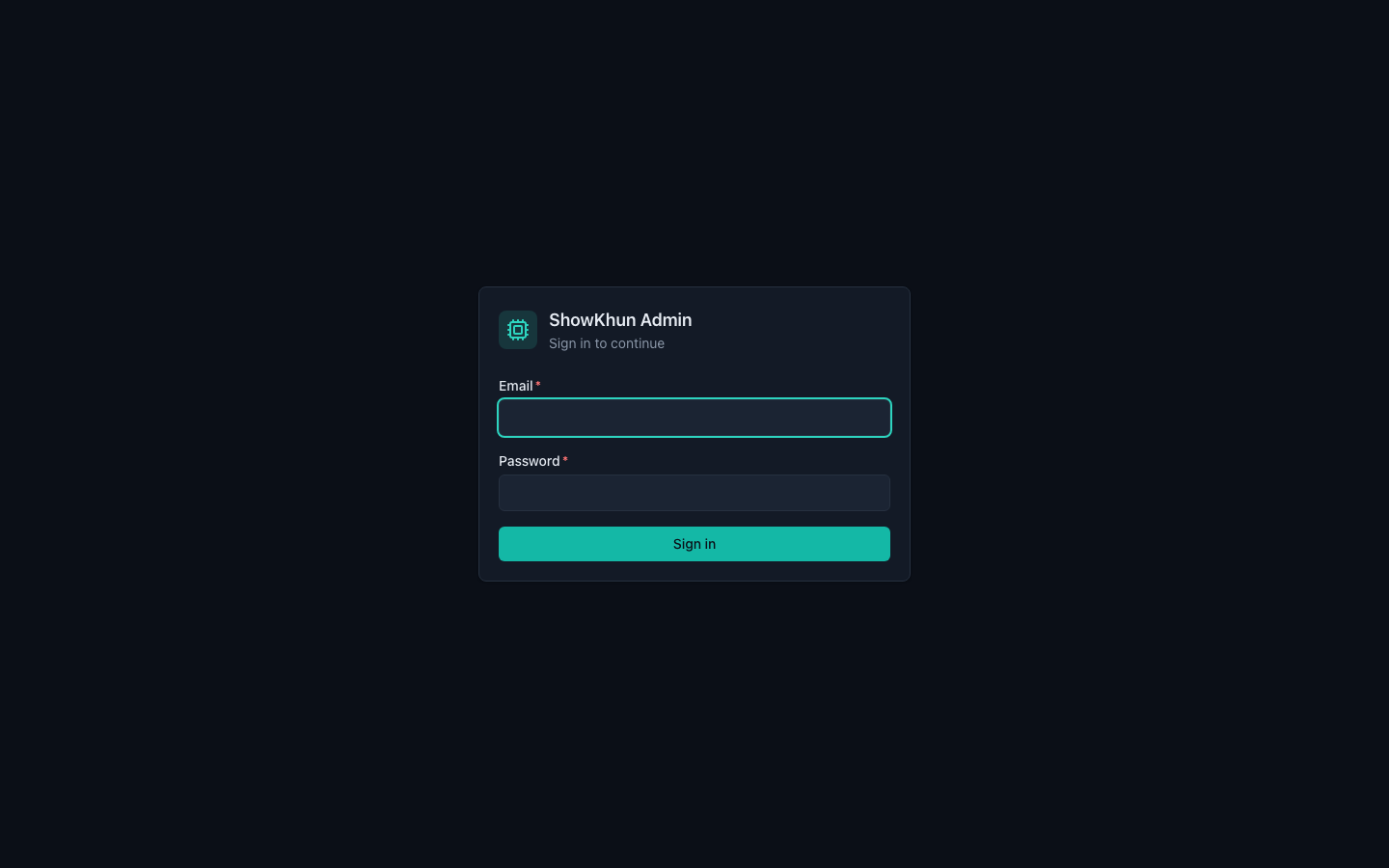
พอระบบ Auth + RBAC พร้อม ด่านแรกที่ทุกคนต้องเจอคือหน้า Login นี่แหละ — ไม่มี token ก็ไม่ได้เข้า ทุก route ถูก ProtectedRoute เฝ้าไว้หมด (รูปนี้ถ่ายจาก E2E test ด้วย Playwright ที่ login จริงผ่าน JWT):
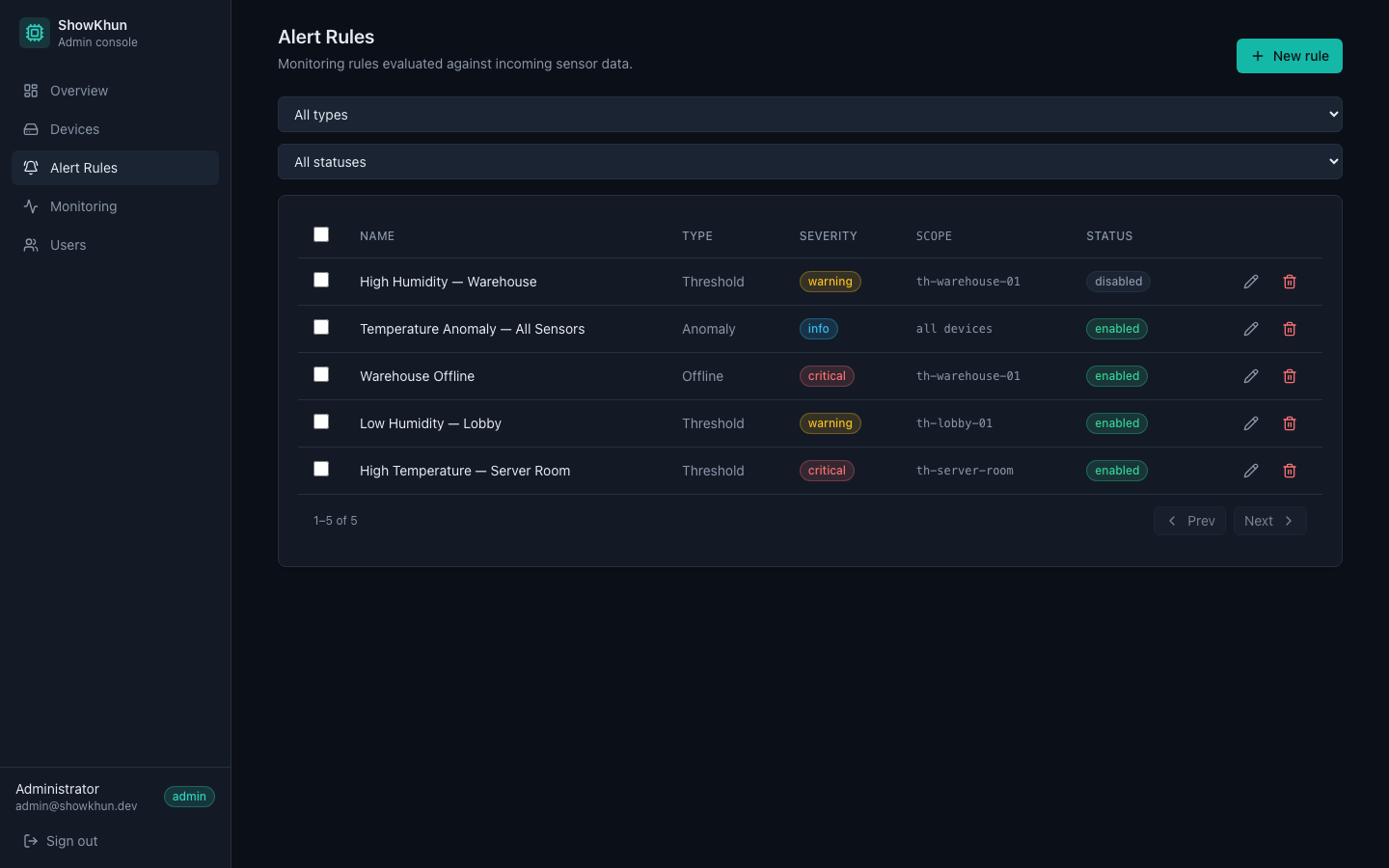
พอ login เป็น admin แล้ว สิทธิ์ก็เปิดครบ — อย่างหน้า Alert Rules นี้ ปุ่ม “New rule” กับปุ่ม Edit/Delete จะโผล่เฉพาะคนที่ role เป็น operator ขึ้นไปเท่านั้น (ถ้าเป็น viewer จะเห็นแค่ตาราง กดอะไรไม่ได้ — และต่อให้ยิง API ตรงๆ backend mutationGuard ก็ปัดอยู่ดี นี่แหละ RBAC ที่ enforce 2 ชั้น):
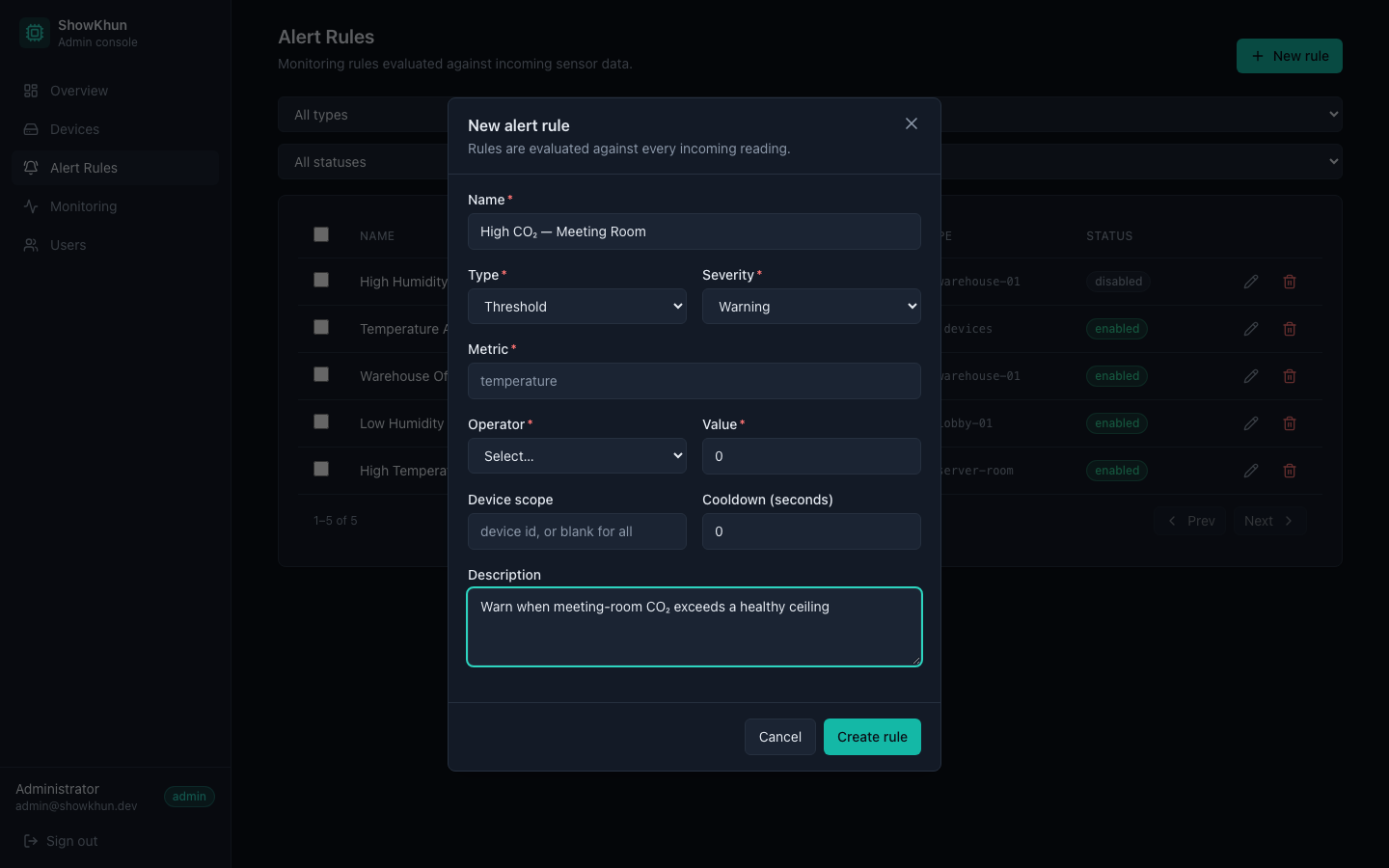
กด New rule ก็เด้งฟอร์มสร้าง rule ขึ้นมา (modal) — เลือก type (threshold / offline / anomaly), severity, ผูกกับ device ได้ พร้อม Zod validation ที่ mirror backend ครบ:
สรุปสิ่งที่ทำใน Workshop นี้
มาลุยกันมาเยอะมาก สรุปเป็นตารางให้ดูง่ายๆ เลย:
Backend (Go + Fiber)
| Component | File | หน้าที่ |
|---|---|---|
| Password | auth/password.go | argon2id (PHC string, constant-time verify) |
| Token Manager | auth/token.go | access+refresh, pin HS256, typ/ver claims |
| Auth Service | service/auth.go | login (generic+dummy hash), refresh rotation+reuse detection |
| Login Throttle | service/login_throttle.go | per-account lockout |
| Middleware + RBAC | auth/middleware.go + rbac.go | verify token + RequireRole (role rank) |
| Auth Handler | handler/auth.go | public endpoints + rate limiters |
| Routes | server/server.go | method-based RBAC (GET=viewer, mutate=operator, users=admin) |
Frontend (React)
| Component | File | หน้าที่ |
|---|---|---|
| Session | auth/session.ts | access ใน store, refresh ใน memory, silent refresh + coalesce |
| Auth Store | stores/auth.ts | token ใน memory + roleAtLeast() |
| Fetch Client | api/client.ts | 401 → onUnauthorized (refresh) → retry |
| Login Page | pages/LoginPage.tsx | email/password, generic error, 429 handling |
| Users | pages/UsersPage.tsx + features/users/* | DataTable + UserForm (admin only) |
RBAC Matrix (ใครทำอะไรได้บ้าง)
| Action | admin | operator | viewer |
|---|---|---|---|
| GET (อ่าน devices/alerts/readings) | ✅ | ✅ | ✅ |
| Mutate (create/update/delete devices, alert rules) | ✅ | ✅ | ❌ |
Manage users (/users) | ✅ | ❌ | ❌ |
Security checklist ที่เราทำ
- argon2id + constant-time verify (กัน GPU crack + timing)
- JWT pin HS256 (กัน alg:none / algorithm confusion) + typ claim (กัน token type confusion)
- Refresh rotation + reuse detection + tokenVersion (revoke ทั้ง family ได้)
- 2 ชั้นกัน brute-force: rate limit per-IP (edge) + login throttle per-account
- Generic error + dummy hash (กัน account enumeration / timing)
- Token ใน memory ฝั่ง client (กัน XSS ดูด credential)
- RBAC enforce server-side, self-protection (admin ห้ามถอด role/ปิดบัญชีตัวเอง)
- Config fail-closed (JWT secret ว่าง = ไม่ start)
Step ต่อไป
Workshop นี้เราได้ระบบ Auth + RBAC ที่ harden ระดับ production แล้ว ทั้ง Go (Fiber) backend และ React frontend — ระบบ IoT ของเราตอนนี้มียามเฝ้าอย่างเป็นทางการ (ง่ะ)
- ก่อนหน้า: Workshop #20: Admin Monitoring Dashboard
- ถัดไป: Workshop #22: End-to-End Testing & CI/CD (เร็วๆ นี้ — รอด้วยนะ!)