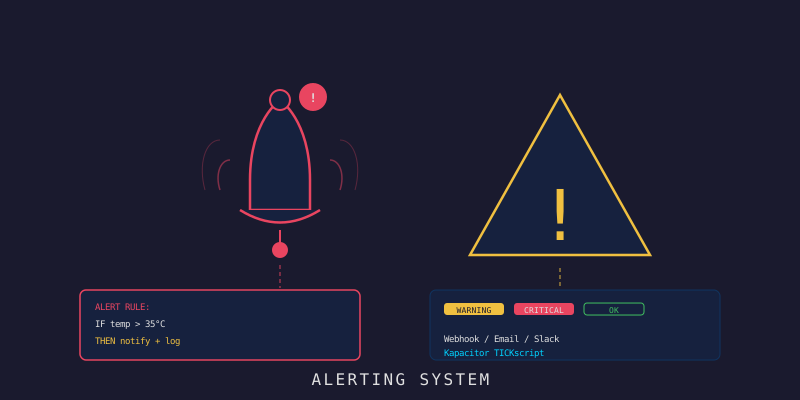
Go Alerting Engine: ให้ระบบ IoT แจ้งเตือนเองเลย
Go Alerting Engine: ให้ระบบ IoT แจ้งเตือนเองเลย
Branch:
step-09-alertingPhase: Development (9/9) — Alerting Repo: kangana1024/showkhun-workshop
เคยเจอไหมครับ? ห้อง server ร้อนไป 40 องศา แต่รู้ตอนที่ hardware พังไปแล้ว อยากให้ระบบมันส่งข้อความมาบอกก่อนได้ไหม? วันนี้เราจะทำแบบนั้นกัน — แต่แทนที่จะพึ่งเครื่องมือสำเร็จรูป เราจะ เขียน alerting engine เป็น Go เอง ฝังไปกับ ingestion path เลย (ʘ‿ʘ)
ทำไมไม่ใช้ Kapacitor/TICKscript? ตอนวาง draft แรกเราเคยคิดจะใช้ Kapacitor แต่พอลงมือทำจริง การเขียน engine เป็น Go เองให้ข้อดีหลายอย่าง: ประเมิน reading ได้ทันที ตอน ingest (ไม่ต้องรอ subscription), reuse logic เดียวกันทั้ง REST และ MQTT, unit-test ได้ละเอียด, และจัดการ rule ผ่าน REST API + MongoDB ได้เหมือน resource อื่นๆ ในระบบ — บทความนี้อ้างอิงตามโค้ดจริงใน branch
step-09-alertingทั้งหมด
ก่อนเริ่ม: น้องๆ จะได้อะไรจาก workshop นี้?
- เข้าใจ โครงสร้าง alert rule 3 แบบ:
threshold,offline,anomaly - เขียน evaluator แบบ pure function ที่ unit-test ได้สบาย
- รู้ว่า engine ประเมิน reading ตอน ingest ยังไง (ไม่ต้อง poll)
- ทำ anomaly detection ด้วย z-score จาก rolling baseline ในหน่วยความจำ
- กัน alert spam ด้วย cooldown + เก็บ history บน Mongo แบบ TTL
- ส่ง webhook แบบ Slack-compatible พร้อม SSRF guard
- จัดการ rule ผ่าน REST CRUD ที่
/api/v1/alert-rules
ทำไมต้องมี Alerting Engine? (WHY ก่อน HOW เสมอ)
ลองนึกภาพน้องเป็น “ยาม” โรงงาน ถ้ามีเซ็นเซอร์ 500 ตัว แล้วน้องต้องนั่งจ้องหน้าจอตลอดเวลา — มันไม่ไหวใช่ไหมครับ?
Alerting engine คือ “ยามอัตโนมัติ” มันดูข้อมูลแทนเรา พอเจอสิ่งผิดปกติตาม rule ที่ตั้งไว้ ก็ยิงแจ้งเตือนออกมาเอง
อุปมา: เหมือน Google Form ที่ตั้ง notification แต่สำหรับ sensor data — เราตั้ง condition ไว้ พอมีค่ากรอกออกนอกขอบเขต ก็ได้รับข้อความทันที
ภาพรวม: Engine อยู่ตรงไหนในระบบ?
จุดที่ต่างจากของเก่าแบบ Kapacitor มากที่สุดคือ — engine นี้ ไม่ได้ subscribe InfluxDB แต่ถูกเรียก ตอนข้อมูลถูก ingest เลย:
graph TD
    A[📡 MQTT / REST reading] --> B[SensorService.IngestBatch]
    B -->|เขียนลง| C[(InfluxDB 2.7)]
    B -->|fan-out| D[WebSocket]
    B -->|evaluateAlerts| E[AlertEngine.Evaluate]
    E -->|โหลด rule| F[(MongoDB: alert_rules)]
    E -->|บันทึก| G[(MongoDB: alert_history TTL)]
    E -->|ยิง| H[🔔 Webhook Slack-compatible]
เพราะ engine ถูกเรียกจาก ingestion path เดียวกัน ทั้ง reading ที่มาทาง REST และ MQTT จึงถูกประเมินแบบเดียวกันเป๊ะ — โค้ดจาก backend/internal/service/sensor.go:
// evaluateAlerts รัน alert engine กับ reading ที่เพิ่งเขียนลงไป
// เป็น no-op ถ้าไม่ได้ wire engine ไว้ และ "ห้าม" ทำให้ ingestion ล้ม
func (s *SensorService) evaluateAlerts(ctx context.Context, live LiveReading) {
	if s.alerts == nil {
		return
	}
	s.alerts.Evaluate(ctx, live.DeviceID, live.Fields, live.Timestamp)
}
กฎเหล็ก: alerting เป็น side-channel — ถ้า engine พังต้องไม่ลาก ingestion ล้มตามไปด้วย (เดี๋ยวจะเห็นว่าโค้ด swallow error แล้ว log แทน)
Alert Rule: หน้าตาเป็นยังไง?
ก่อนเขียน logic เราต้องรู้จัก “rule” ก่อน โปรเจกต์รองรับ 3 type (จาก backend/internal/model/alert.go):
const (
	// threshold: ค่าทะลุเส้นที่ตั้งไว้
	AlertRuleThreshold AlertRuleType = "threshold"
	// offline: device เงียบหายไปเกินเวลาที่กำหนด
	AlertRuleOffline AlertRuleType = "offline"
	// anomaly: ค่าเบี่ยงจาก baseline เกิน z-score ที่ตั้ง
	AlertRuleAnomaly AlertRuleType = "anomaly"
)
แต่ละ type ใช้ field ใน AlertCondition ต่างกัน:
| Type | ใช้ field อะไร | ความหมาย |
|---|---|---|
threshold | metric, operator, value | เช่น temperature gt 35 |
offline | offline_after_seconds | ไม่มี reading ภายใน N วินาที = ออฟไลน์ |
anomaly | metric, zscore_threshold | ค่าเบี่ยงจาก baseline เกิน z ที่ตั้ง |
และ rule ทั้งก้อนมี severity (info/warning/critical), device_id (เว้นว่าง = ทุก device), cooldown_seconds กับ enabled:
type AlertRule struct {
	ID          bson.ObjectID  `bson:"_id,omitempty"  json:"id"`
	Name        string         `bson:"name"           json:"name"`
	Type        AlertRuleType  `bson:"type"           json:"type"`
	Condition   AlertCondition `bson:"condition"      json:"condition"`
	Severity    AlertSeverity  `bson:"severity"       json:"severity"`
	DeviceID    string         `bson:"device_id,omitempty" json:"device_id,omitempty"`
	CooldownSeconds int        `bson:"cooldown_seconds,omitempty" json:"cooldown_seconds,omitempty"`
	Enabled     bool           `bson:"enabled"        json:"enabled"`
	// ... CreatedAt / UpdatedAt
}
Step 1: Evaluator — หัวใจที่เป็น Pure Function
ทำไม ต้องแยก evaluator ให้เป็น pure function (ไม่มี I/O, ไม่แตะนาฬิกาเอง)? เพราะมันทำให้ unit-test ได้แบบ exhaustive — ป้อน input เข้าไป ได้ output ออกมา ไม่ต้องตั้ง InfluxDB/Mongo จริง
backend/internal/service/alert_eval.go แตก logic ตาม type:
// evaluateRule เลือก strategy ตาม type ของ rule — pure ล้วน ไม่มี I/O
func evaluateRule(in EvalInput) EvalResult {
	switch in.Rule.Type {
	case model.AlertRuleThreshold:
		return evalThreshold(in)
	case model.AlertRuleOffline:
		return evalOffline(in)
	case model.AlertRuleAnomaly:
		return evalAnomaly(in)
	default:
		return EvalResult{}
	}
}
Threshold — ค่าทะลุเส้น
// evalThreshold ยิงเมื่อ metric ที่เฝ้าผ่านเงื่อนไข operator/value
func evalThreshold(in EvalInput) EvalResult {
	metric := in.Rule.Condition.Metric
	v, ok := in.Fields[metric]
	if !ok {
		return EvalResult{} // reading นี้ไม่มี metric ที่เฝ้า → ไม่ยิง
	}
	if !compare(v, in.Rule.Condition.Operator, in.Rule.Condition.Value) {
		return EvalResult{}
	}
	return EvalResult{
		Fired:  true,
		Metric: metric,
		Value:  v,
		Message: fmt.Sprintf("%s on %s: %s = %.4g %s %.4g",
			in.Rule.Name, in.DeviceID, metric, v,
			operatorSymbol(in.Rule.Condition.Operator), in.Rule.Condition.Value),
	}
}
operator รองรับ gt, gte, lt, lte, eq, neq — ครอบทุกการเทียบที่ต้องใช้
Offline — device เงียบหาย
ทำไม? บางที device ไม่ได้พัง แค่ battery หมด หรือ WiFi ตัด ถ้าเราไม่รู้ ข้อมูลก็หายเงียบๆ
อุปมา: เหมือนพนักงานเช็คอินทุกเช้า ถ้าวันไหนหายไปเกินเวลา HR ต้องโทรถาม
// evalOffline ยิงเมื่อช่วงห่างจาก reading ก่อนหน้าเกิน window ที่ตั้ง
// PrevSeen เป็นศูนย์ (reading แรกสุด) จะไม่ยิง
func evalOffline(in EvalInput) EvalResult {
	window := time.Duration(in.Rule.Condition.OfflineAfterSeconds) * time.Second
	if window <= 0 || in.PrevSeen.IsZero() {
		return EvalResult{}
	}
	gap := in.Now.Sub(in.PrevSeen)
	if gap < window {
		return EvalResult{}
	}
	return EvalResult{
		Fired: true,
		Value: gap.Seconds(),
		Message: fmt.Sprintf("%s on %s: device was silent for %s (threshold %s)",
			in.Rule.Name, in.DeviceID, gap.Round(time.Second), window),
	}
}
Anomaly — z-score กับ baseline
ทำไม? threshold จับได้แค่ค่าเกิน limit ที่ตั้ง แต่ถ้าปกติอยู่ 25°C วันนี้พุ่งเป็น 32°C (ยังไม่ถึง 35) — มันผิดปกติเชิง “pattern” แต่ threshold มองไม่เห็น
อุปมา z-score: เหมือนคะแนนสอบ ถ้าค่าเฉลี่ยห้อง 50 แล้วคนนึงได้ 90 นั่นคือ “ผิดปกติมาก” เมื่อเทียบกับเพื่อน z-score วัดว่า “เบี่ยงจากปกติกี่เท่าของ standard deviation”
// evalAnomaly ยิงเมื่อ z-score ของ reading เทียบ baseline เกิน threshold
// baseline ที่มีน้อยกว่า 2 ตัวอย่าง หรือ sd = 0 จะไม่ยิง (คำนวณ z ไม่ได้)
func evalAnomaly(in EvalInput) EvalResult {
	metric := in.Rule.Condition.Metric
	v, ok := in.Fields[metric]
	if !ok {
		return EvalResult{}
	}
	if in.Baseline.Count < 2 || in.Baseline.StdDev <= 0 {
		return EvalResult{}
	}
	threshold := in.Rule.Condition.ZScoreThreshold
	if threshold <= 0 {
		return EvalResult{}
	}
	z := (v - in.Baseline.Mean) / in.Baseline.StdDev
	if math.Abs(z) < threshold {
		return EvalResult{}
	}
	return EvalResult{Fired: true, Metric: metric, Value: v, /* ...message... */ }
}
Step 2: Engine — ร้อยทุกอย่างเข้าด้วยกัน
AlertEngine (backend/internal/service/alert.go) คือตัวที่: โหลด rule, เรียก evaluator, เช็ค cooldown, บันทึก history, ยิง notify นี่คือ Evaluate ตัวเต็ม:
// Evaluate รันทุก rule ที่เกี่ยวกับ reading — ไม่เคย return error ออก ingestion path
func (e *AlertEngine) Evaluate(ctx context.Context, deviceID string, fields map[string]float64, now time.Time) {
	if e == nil {
		return
	}
	rules, err := e.rules.ListEnabledForDevice(ctx, deviceID)
	if err != nil {
		e.logWarn("alert: list rules failed", "device_id", deviceID, "error", err)
	}

	prevSeen := e.takeLastSeen(deviceID, now) // ใช้กับ offline rule

	for i := range rules {
		rule := rules[i]
		base := e.baselineFor(deviceID, rule) // snapshot baseline สำหรับ anomaly

		res := evaluateRule(EvalInput{
			Rule: rule, DeviceID: deviceID, Fields: fields,
			Now: now, PrevSeen: prevSeen, Baseline: base,
		})
		if !res.Fired {
			continue
		}
		if e.inCooldown(ctx, rule, deviceID, now) {
			continue
		}
		e.record(ctx, rule, deviceID, res, now)
	}

	// อัปเดต baseline "หลัง" ประเมิน เพื่อให้ reading ถูกวัดกับ distribution
	// "ก่อนหน้า" ตัวมันเอง ไม่ใช่ distribution ที่รวมตัวมันเข้าไปแล้ว
	e.updateBaselines(deviceID, rules, fields)
}
จุดเด็ดคือคอมเมนต์บรรทัดสุดท้าย — อัปเดต baseline หลังประเมินเสมอ ไม่งั้น reading จะถูกวัดกับค่าเฉลี่ยที่มีตัวมันเองปนอยู่ ทำให้ z-score เพี้ยน
Rolling Baseline เก็บใน memory
anomaly ใช้ rollingStats ที่เก็บค่าล่าสุดแบบ ring buffer ขนาดคงที่ (anomalyWindow = 100) แล้วคำนวณ mean/stddev:
// anomalyWindow คือจำนวน sample ล่าสุดที่ baseline เก็บไว้
const anomalyWindow = 100
ข้อดีของการเก็บ baseline ใน memory: เร็วและไม่ต้องยิง query หนักๆ ไป InfluxDB ทุก reading — ส่วนถ้า restart แล้ว baseline หาย ก็แค่เริ่มสะสมใหม่ ไม่กระทบ “ความถูกต้อง” ของ threshold/offline เลย (มันเป็นแค่ตัวเร่ง)
Step 3: กัน Spam ด้วย Cooldown + History แบบ TTL
ถ้าไม่กันอะไรเลย พออุณหภูมิสูงค้างไว้ ทุก reading ก็จะยิง alert รัวๆ จน Slack แตก (╯°□°)╯ โปรเจกต์เลยมี cooldown ต่อ rule+device:
// inCooldown บอกว่า rule นี้เพิ่งยิงให้ device นี้ภายใน cooldown หรือยัง
// ถ้า query history พลาด ให้ถือว่า "ไม่ติด cooldown" จะได้ไม่กลืน alert เงียบๆ
func (e *AlertEngine) inCooldown(ctx context.Context, rule model.AlertRule, deviceID string, now time.Time) bool {
	if rule.CooldownSeconds <= 0 {
		return false
	}
	last, err := e.history.LastTriggeredAt(ctx, rule.ID, deviceID)
	if err != nil {
		e.logWarn("alert: cooldown lookup failed", "rule_id", rule.ID.Hex(), "error", err)
		return false
	}
	if last.IsZero() {
		return false
	}
	return now.Sub(last) < time.Duration(rule.CooldownSeconds)*time.Second
}
ทุกครั้งที่ยิง จะบันทึก AlertHistory ลง Mongo พร้อม ExpiresAt — collection มี TTL index ที่ Mongo ลบ document เก่าทิ้งให้เอง (เก็บไว้ historyTTL = 90 * 24h) ไม่ต้องเขียน cron ลบเอง:
// historyTTL คือระยะเวลาที่ alert ถูกเก็บก่อน TTL index จะลบทิ้ง
const historyTTL = 90 * 24 * time.Hour
Step 4: Notifier — Webhook แบบ Slack-compatible (+ SSRF Guard)
ทำไมต้องมี SSRF guard?
webhook URL มาจาก config ของ operator ก็จริง แต่ถ้าตั้งพลาดให้ชี้ไปที่ 169.254.169.254 (cloud metadata) หรือ host ภายใน อาจกลายเป็นช่องโหว่ SSRF ได้ engine เลย validate URL ตั้งแต่ตอนสร้าง — ถ้า resolve ไปลง private/loopback/link-local จะ ปฏิเสธไม่ยอมสตาร์ท (กัน config อันตรายตั้งแต่ต้น)
backend/internal/notify/webhook.go:
// isDisallowedIP บอกว่า ip อยู่ในช่วงที่ webhook ห้ามยิงไปหา
func isDisallowedIP(ip net.IP) bool {
	if ip.IsLoopback() || ip.IsPrivate() || ip.IsLinkLocalUnicast() ||
		ip.IsLinkLocalMulticast() || ip.IsUnspecified() {
		return true
	}
	// บล็อก cloud metadata endpoint ชัดๆ (link-local คลุมอยู่แล้ว แต่ย้ำให้เห็นเจตนา)
	if ip.Equal(net.ParseIP("169.254.169.254")) {
		return true
	}
	return false
}
Payload ที่ส่ง — รูปแบบ Slack
notifier ส่ง JSON ที่ Slack incoming webhook กิน (text + attachments) — เด่นคือมีแต่ field ที่ไม่ใช่ข้อมูลลับ ไม่มี token/secret หลุดไปในนั้น:
func (w *WebhookNotifier) Notify(ctx context.Context, e Event) error {
	payload := slackPayload{
		Text: fmt.Sprintf("[%s] %s", strings.ToUpper(string(e.Severity)), e.Message),
		Attachments: []slackAttachment{{
			Color: severityColor(e.Severity), // critical=แดง, warning=ส้ม, info=น้ำเงิน
			Title: e.RuleName,
			Fields: []slackField{
				{Title: "Device", Value: e.DeviceID, Short: true},
				{Title: "Type",   Value: string(e.Type), Short: true},
				{Title: "Metric", Value: e.Metric, Short: true},
				{Title: "Value",  Value: fmt.Sprintf("%.4g", e.Value), Short: true},
			},
			TS: e.TriggeredAt.Unix(),
		}},
	}
	// ... marshal + POST ด้วย client ที่ "ไม่ตาม redirect" (กัน 30x เด้งไป host อื่น)
}
เกร็ด design: notifier อยู่หลัง interface
NotifierและมีMultiที่ fan-out หลาย channel ได้ — อยากเพิ่ม email/SMS ทีหลังก็ทำได้โดยไม่ต้องแตะ engine
เปิดใช้ด้วย env (ค่าเริ่มต้นว่าง = ไม่มี notifier, engine ยังทำงานแค่บันทึก history):
APP_ALERT_ENABLED=true
APP_ALERT_WEBHOOK_URL=https://hooks.slack.com/services/XXX/YYY/ZZZ
APP_ALERT_WEBHOOK_TIMEOUT=5s
Step 5: จัดการ Rule ผ่าน REST API
rule ทั้งหมดจัดการผ่าน CRUD endpoint ที่ mount ใต้ /api/v1 (backend/internal/handler/alert.go):
POST   /api/v1/alert-rules        # สร้าง rule
GET    /api/v1/alert-rules        # list (filter: enabled, type, device_id, limit, offset)
GET    /api/v1/alert-rules/:id    # ดูตัวเดียว
PUT    /api/v1/alert-rules/:id    # แก้ไข (partial update)
DELETE /api/v1/alert-rules/:id    # ลบ
ตัวอย่างสร้าง threshold rule: เตือนเมื่ออุณหภูมิ > 35°C ระดับ critical และกัน spam 5 นาที:
curl -s -X POST http://localhost:8080/api/v1/alert-rules \
  -H "Content-Type: application/json" \
  -d '{
    "name": "Server room too hot",
    "type": "threshold",
    "severity": "critical",
    "device_id": "sensor-01",
    "cooldown_seconds": 300,
    "condition": {
      "metric": "temperature",
      "operator": "gt",
      "value": 35
    }
  }' | jq
สร้าง offline rule (เงียบเกิน 5 นาที = เตือน) และ anomaly rule (z-score > 3):
# offline: ไม่มี reading ใน 300 วินาที
curl -s -X POST http://localhost:8080/api/v1/alert-rules \
  -H "Content-Type: application/json" \
  -d '{
    "name": "Device went silent",
    "type": "offline",
    "severity": "warning",
    "condition": { "offline_after_seconds": 300 }
  }' | jq

# anomaly: temperature เบี่ยงจาก baseline เกิน 3 sd
curl -s -X POST http://localhost:8080/api/v1/alert-rules \
  -H "Content-Type: application/json" \
  -d '{
    "name": "Temperature anomaly",
    "type": "anomaly",
    "severity": "warning",
    "condition": { "metric": "temperature", "zscore_threshold": 3 }
  }' | jq
WHY define ก่อน enable? payload มี field
enabledถ้าไม่ส่งจะ default เป็นtrue— แต่ส่ง"enabled": falseก็สร้างไว้ “ปิด” ก่อนแล้วค่อยเปิดทีหลังได้ เหมือน install app ไว้แล้วค่อย launch
Step 6: ทดสอบ Alert System
มาลุยกัน! สร้าง rule แล้วยิง reading ที่เกิน threshold:
# 1) มี threshold rule (temperature > 35) อยู่แล้วจาก Step 5

# 2) ยิง reading อุณหภูมิสูง 38.5°C ผ่าน MQTT
docker exec showkhun-mosquitto mosquitto_pub \
  -h localhost \
  -t "devices/sensor-01/telemetry" \
  -m '{ "fields": { "temperature": 38.5 }, "tags": { "location": "room-a" } }'

# 3) เช็ค Slack channel — ควรเด้ง alert สีแดง [CRITICAL] ขึ้นมา
#    หรือถ้าไม่ได้ตั้ง webhook ก็ดู alert history ผ่าน log / Mongo
docker exec showkhun-mongodb mongosh iot_workshop --quiet \
  --eval 'db.alert_history.find().sort({triggered_at:-1}).limit(5).pretty()'
ทดสอบ offline ก็ง่าย — หยุดส่ง telemetry ของ device นั้นไปเกิน offline_after_seconds แล้วส่ง reading ใหม่ทีหลัง engine จะเห็นว่า gap เกิน window และยิง alert offline ออกมา
สรุป: เราทำอะไรไปบ้างใน workshop นี้
น้องๆ ผ่านมาได้ไกลมากเลยครับ! มาดูว่า Alerting ครบแค่ไหน:
| ส่วนประกอบ | รายละเอียด |
|---|---|
| Rule types | threshold, offline, anomaly (z-score) |
| Evaluator | pure function แยกต่อ type — unit-test ได้ exhaustive |
| Trigger point | ประเมิน ตอน ingest (REST + MQTT ใช้ logic เดียวกัน) |
| Baseline | rolling stats ใน memory (window 100) สำหรับ anomaly |
| Cooldown | กัน spam ต่อ rule+device |
| History | บันทึกบน Mongo + TTL index ลบเก่าทิ้งเอง (90 วัน) |
| Notifier | webhook แบบ Slack-compatible + SSRF guard + no-redirect |
| REST CRUD | /api/v1/alert-rules (create/list/get/update/delete) |
ตอนนี้ระบบมี “ยามอัตโนมัติ” ที่เขียนเอง 100% แล้ว — ไม่ต้องพึ่ง Kapacitor/TICKscript, ประเมินไวตั้งแต่ตอน ingest, test ได้ทุกซอก และจัดการ rule ได้เหมือน resource อื่นในระบบ
IoT Backend Workshop เสร็จสมบูรณ์แล้วครับ!
เราได้ผ่าน data layer + alerting ครบทั้งสามตอน:
- [Workshop #10] InfluxDB 2.7 + Telegraf Setup: org/bucket/token, retention, downsampled
- [Workshop #11] Telegraf json_v2 Pipeline + Flux Query แบบ bounded/ปลอดภัย
- [Workshop #12] Go Alerting Engine: threshold/offline/anomaly, cooldown, webhook
Next Step
Backend จบแล้วครับ! ขั้นต่อไปเราจะไปทำ LynxJS Mobile App เพื่อดู alert และ dashboard บน smartphone — เพราะ real-time monitoring บนมือถือมันคูลกว่าแน่นอน (^_^)v
Navigation
- ก่อนหน้า: IoT Workshop #11: Telegraf Pipeline + Flux Query
- ถัดไป: IoT Workshop #13: LynxJS Mobile App Setup
- แผนการ Workshop ทั้งหมด: IoT Workshop Master Plan