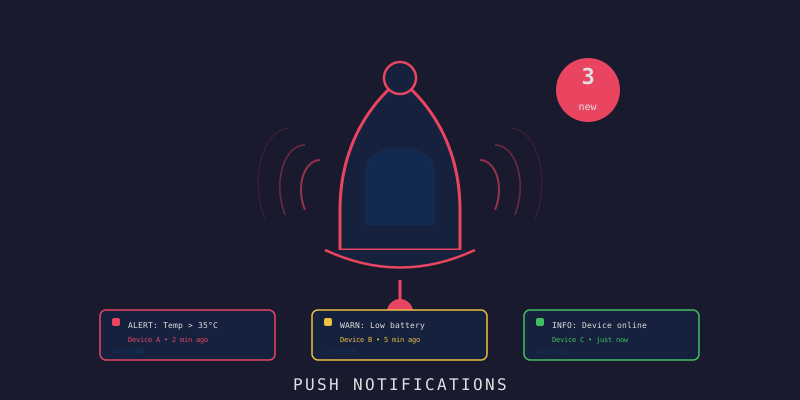
LynxJS Alerts: แจ้งเตือน IoT แบบครบวงจร
Branch:
workshop/dev-14-lynxjs-alertsPhase: Mobile Frontend (5/5) Repo: kangana1024/iot-workshop
เฮ้ น้องๆ มีอะไรมาบอกก่อน! (ง•̀_•́)ง
ลองนึกภาพนะ… sensor ในโรงงานอุณหภูมิพุ่งขึ้น 47°C แล้วไม่มีใครรู้เลย เพราะไม่มีระบบแจ้งเตือน
นั่นคือสาเหตุที่บทนี้สำคัญมาก
Notifications & Alerts ไม่ใช่แค่ “ฟีเจอร์เสริม” แต่คือ ระบบป้องกัน ที่ทำให้ IoT app ของเรามีประโยชน์จริงๆ เพราะถ้า sensor วัดค่าได้แต่ไม่บอกใคร มันก็เหมือนแอร์แมนชั้นที่ไม่มีไฟเตือนน้ำมันหมด — รู้ตอนจอดข้างทางแล้วก็สาย
สิ่งที่น้องๆ จะได้เรียนรู้ในบทนี้
- WHY ก่อนเสมอ — ทำไมต้อง Push Notification ไม่ใช่แค่ polling?
- ติดตั้งและ setup Push Notification ด้วย Expo พร้อม token registration
- สร้าง NotificationService แบบ Singleton — sound/vibration ตาม severity
- สร้าง Alert Store ด้วย Zustand พร้อม filter ครบ
- สร้าง AlertRow + Severity Badges ให้ดูสวย อ่านง่าย
- สร้าง Alerts List Screen จัดกลุ่มตามวันแบบ SectionList
- สร้าง Alert Detail Screen + mark read/unread
- สร้าง Notification Preferences พร้อม Quiet Hours
ก่อนจะ HOW ต้องรู้ WHY ก่อน
ทำไม Push Notification ไม่ใช่แค่ fetch ทุกๆ 5 วินาที?
นึกภาพน้องไปซื้อข้าวแล้วขอให้เพื่อนโทรมาถ้ามีด่วน vs น้องโทรถามเพื่อนทุก 5 นาทีว่า “มีอะไรด่วนมั้ย?”
แบบแรกคือ Push — เบา, ตอบสนองทันที, ไม่เปลือง battery แบบสองคือ Polling — หนัก, ช้า, แบตหมดก่อน
Push Notification Flow:
IoT Device
|
v (sensor เกิน threshold)
Backend Server
|
v (ส่ง push)
Expo Push Service
|
v (deliver)
มือถือน้องๆ 🔔
ทำไมต้องมี Severity?
เหมือนโรงพยาบาลมี triage — ไม่ใช่ทุกคนที่เจ็บต้องผ่าตัดทันที บางคนรอได้ บางคนต้องรีบ
| Severity | ความหมาย | เปรียบเหมือน |
|---|---|---|
| LOW | แจ้งเพื่อทราบ | ป้ายบอกทางที่ซีด |
| MEDIUM | ควรดูแล | น้ำมันเหลือ 1/4 ถัง |
| HIGH | ต้องดูแล | ยางแบน |
| CRITICAL | ฉุกเฉิน | เบรกไม่อยู่ |
ภาพรวม Architecture ของระบบ
ก่อนจะลงโค้ด มาดู flow ทั้งหมดก่อนดีกว่า ให้เห็นภาพรวม:
เห็นมั้ย? ทุกอย่างวนรอบ NotificationService และ useAlertStore สองตัวนี้คือหัวใจของระบบ มาลุยกัน!
Step 1: ติดตั้ง Library ที่ต้องใช้
cd frontend-mobile
# Push notifications
npm install @lynx-js/notifications expo-notifications expo-device
# Vibration & Sound
npm install expo-haptics expo-av
# Background tasks
npm install expo-background-fetch expo-task-manager
ทำไมต้องใช้ expo-haptics ด้วย? เพราะเวลา CRITICAL alert มา การสั่น (haptic) จะทำให้คนรู้ได้แม้เปิดเสียงไว้ เหมือนโทรศัพท์สั่นในกระเป๋า — บางทีได้ยินกว่าเสียงเสียอีก
Step 2: Push Notification Service
นี่คือ หัวใจ ของระบบ เราทำเป็น Singleton เพราะต้องการให้มีแค่ instance เดียวทั้ง app (เหมือนเบอร์โทรฉุกเฉินมีแค่เบอร์เดียว ไม่งั้นสับสน)
// src/services/notifications.ts
import * as Notifications from 'expo-notifications';
import * as Device from 'expo-device';
import * as Haptics from 'expo-haptics';
import AsyncStorage from '@lynx-js/async-storage';
import { api } from './api';
import type { Alert } from '../types';
// ตั้งค่า notification handler — บอก OS ว่าเวลา notification มาให้ทำอะไร
Notifications.setNotificationHandler({
handleNotification: async () => ({
shouldShowAlert: true,
shouldPlaySound: true,
shouldSetBadge: true,
}),
});
export class NotificationService {
private static instance: NotificationService;
private notifSub: Notifications.Subscription | null = null;
private responseSub: Notifications.Subscription | null = null;
static getInstance(): NotificationService {
if (!this.instance) {
this.instance = new NotificationService();
}
return this.instance;
}
// ========== Register ==========
async registerForPushNotifications(): Promise<string | null> {
if (!Device.isDevice) {
console.warn('Push notifications require a physical device');
return null;
}
const { status: existingStatus } = await Notifications.getPermissionsAsync();
let finalStatus = existingStatus;
if (existingStatus !== 'granted') {
const { status } = await Notifications.requestPermissionsAsync();
finalStatus = status;
}
if (finalStatus !== 'granted') {
console.warn('Push notification permission denied');
return null;
}
const token = (
await Notifications.getExpoPushTokenAsync({
projectId: process.env.EXPO_PUBLIC_PROJECT_ID,
})
).data;
// บันทึก token ลง AsyncStorage และส่งไป backend
await AsyncStorage.setItem('push_token', token);
await this.registerTokenWithBackend(token);
return token;
}
private async registerTokenWithBackend(token: string): Promise<void> {
try {
await api['client']?.post('/api/v1/notifications/register', {
token,
platform: 'mobile',
});
} catch (err) {
console.error('Failed to register push token:', err);
}
}
// ========== Listeners ==========
startListening(
onReceive: (notification: Notifications.Notification) => void,
onResponse: (response: Notifications.NotificationResponse) => void
) {
this.notifSub = Notifications.addNotificationReceivedListener(onReceive);
this.responseSub = Notifications.addNotificationResponseReceivedListener(onResponse);
}
stopListening() {
this.notifSub?.remove();
this.responseSub?.remove();
}
// ========== Local Notifications ==========
async scheduleLocalNotification(alert: Alert): Promise<void> {
const prefs = await this.getPreferences();
if (!prefs.enabled) return;
await Notifications.scheduleNotificationAsync({
content: {
title: `${alert.severity.toUpperCase()}: ${alert.deviceName}`,
body: alert.message,
data: { alertId: alert.id, deviceId: alert.deviceId },
sound: prefs.sound ? 'default' : undefined,
badge: 1,
},
trigger: null, // immediate
});
// สั่นตาม severity — CRITICAL สั่นแบบ error, HIGH แบบ warning, ที่เหลือ success
if (prefs.vibration) {
const pattern =
alert.severity === 'critical'
? Haptics.NotificationFeedbackType.Error
: alert.severity === 'high'
? Haptics.NotificationFeedbackType.Warning
: Haptics.NotificationFeedbackType.Success;
await Haptics.notificationAsync(pattern);
}
}
// ========== Badge ==========
async setBadgeCount(count: number): Promise<void> {
await Notifications.setBadgeCountAsync(count);
}
async clearBadge(): Promise<void> {
await Notifications.setBadgeCountAsync(0);
}
// ========== Preferences ==========
async getPreferences(): Promise<NotificationPreferences> {
const raw = await AsyncStorage.getItem('notification_prefs');
if (!raw) return DEFAULT_PREFS;
return JSON.parse(raw);
}
async savePreferences(prefs: NotificationPreferences): Promise<void> {
await AsyncStorage.setItem('notification_prefs', JSON.stringify(prefs));
}
}
export interface NotificationPreferences {
enabled: boolean;
sound: boolean;
vibration: boolean;
severityFilter: ('low' | 'medium' | 'high' | 'critical')[];
quietHoursEnabled: boolean;
quietHoursStart: string; // "22:00"
quietHoursEnd: string; // "07:00"
}
export const DEFAULT_PREFS: NotificationPreferences = {
enabled: true,
sound: true,
vibration: true,
severityFilter: ['low', 'medium', 'high', 'critical'],
quietHoursEnabled: false,
quietHoursStart: '22:00',
quietHoursEnd: '07:00',
};
export const notificationService = NotificationService.getInstance();
สังเกตมั้ย?
quietHoursEnabledใน DEFAULT_PREFS เป็นfalse— เพราะเราไม่อยากให้ alert CRITICAL โดนปิดกั้นโดยที่ user ยังไม่รู้ตัว ต้องเปิดเองถึงจะเปิด
Step 3: Alert Store ด้วย Zustand
Store คือ “กล่องเก็บของ” กลางของ app เหมือนกระดานไวต์บอร์ดในออฟฟิศที่ทุกคนเห็นและอัพเดตได้
// src/stores/useAlertStore.ts
import { create } from 'zustand';
import { immer } from 'zustand/middleware/immer';
import type { Alert } from '../types';
import type { NotificationPreferences } from '../services/notifications';
import { DEFAULT_PREFS } from '../services/notifications';
interface AlertState {
alerts: Alert[];
unreadCount: number;
isLoading: boolean;
preferences: NotificationPreferences;
filterSeverity: 'all' | Alert['severity'];
filterRead: 'all' | 'read' | 'unread';
setAlerts: (alerts: Alert[]) => void;
addAlert: (alert: Alert) => void;
markRead: (id: string) => void;
markUnread: (id: string) => void;
markAllRead: () => void;
setLoading: (v: boolean) => void;
setPreferences: (p: NotificationPreferences) => void;
setFilterSeverity: (f: AlertState['filterSeverity']) => void;
setFilterRead: (f: AlertState['filterRead']) => void;
}
export const useAlertStore = create<AlertState>()(
immer((set) => ({
alerts: [],
unreadCount: 0,
isLoading: false,
preferences: DEFAULT_PREFS,
filterSeverity: 'all',
filterRead: 'all',
setAlerts: (alerts) =>
set((s) => {
s.alerts = alerts;
s.unreadCount = alerts.filter((a) => !a.isRead).length;
}),
addAlert: (alert) =>
set((s) => {
s.alerts.unshift(alert);
if (!alert.isRead) s.unreadCount++;
}),
markRead: (id) =>
set((s) => {
const alert = s.alerts.find((a) => a.id === id);
if (alert && !alert.isRead) {
alert.isRead = true;
s.unreadCount = Math.max(0, s.unreadCount - 1);
}
}),
markUnread: (id) =>
set((s) => {
const alert = s.alerts.find((a) => a.id === id);
if (alert && alert.isRead) {
alert.isRead = false;
s.unreadCount++;
}
}),
markAllRead: () =>
set((s) => {
s.alerts.forEach((a) => {
a.isRead = true;
});
s.unreadCount = 0;
}),
setLoading: (v) =>
set((s) => {
s.isLoading = v;
}),
setPreferences: (p) =>
set((s) => {
s.preferences = p;
}),
setFilterSeverity: (f) =>
set((s) => {
s.filterSeverity = f;
}),
setFilterRead: (f) =>
set((s) => {
s.filterRead = f;
}),
}))
);
ทำไมใช้
immer? เพราะ immer ให้เราเขียนs.alerts.unshift(alert)แบบ mutable ได้เลย แต่ข้างในมัน immutable จริงๆ เหมือนเขียนบนกระดาษร่างก่อน แล้วค่อยพิมพ์สะอาด
Step 4: Severity Badge และ AlertRow
ตอนนี้มาสร้างหน้าตาให้ alert แต่ละแถว เหมือนออกแบบซองจดหมาย — ต้องบอกได้ทันทีว่าเรื่องไหนด่วน
// src/components/alerts/AlertRow.tsx
import { View, Text, TouchableOpacity, StyleSheet } from '@lynx-js/react';
import { Badge } from '../ui/Badge';
import { useTheme } from '../../theme';
import { format, isToday, isYesterday } from 'date-fns';
import type { Alert } from '../../types';
interface AlertRowProps {
alert: Alert;
onPress: (alert: Alert) => void;
onLongPress?: (alert: Alert) => void;
}
export function AlertRow({ alert, onPress, onLongPress }: AlertRowProps) {
const { colors } = useTheme();
const severityVariant = {
low: 'info' as const,
medium: 'warning' as const,
high: 'danger' as const,
critical: 'danger' as const,
}[alert.severity];
const formatTime = (iso: string) => {
const date = new Date(iso);
if (isToday(date)) return format(date, 'HH:mm');
if (isYesterday(date)) return `Yesterday ${format(date, 'HH:mm')}`;
return format(date, 'dd MMM HH:mm');
};
return (
<TouchableOpacity
style={[
styles.row,
{ backgroundColor: alert.isRead ? colors.surface : colors.primaryLight },
]}
onPress={() => onPress(alert)}
onLongPress={() => onLongPress?.(alert)}
activeOpacity={0.7}
>
{/* Unread indicator — เส้นสีทางซ้าย บอกว่ายังไม่ได้อ่าน */}
<View
style={[
styles.indicator,
{ backgroundColor: alert.isRead ? 'transparent' : colors.primary },
]}
/>
<View style={styles.content}>
<View style={styles.topRow}>
<Text
style={[
styles.deviceName,
{ color: colors.text, fontWeight: alert.isRead ? '400' : '600' },
]}
numberOfLines={1}
>
{alert.deviceName}
</Text>
<Text style={[styles.time, { color: colors.textSecondary }]}>
{formatTime(alert.triggeredAt)}
</Text>
</View>
<Text
style={[styles.message, { color: colors.textSecondary }]}
numberOfLines={2}
>
{alert.message}
</Text>
<View style={styles.badges}>
<Badge label={alert.severity.toUpperCase()} variant={severityVariant} size="sm" />
<Badge label={alert.type} variant="default" size="sm" />
</View>
</View>
</TouchableOpacity>
);
}
const styles = StyleSheet.create({
row: {
flexDirection: 'row',
paddingVertical: 14,
paddingRight: 16,
},
indicator: {
width: 4,
borderRadius: 2,
marginRight: 12,
marginLeft: 8,
},
content: { flex: 1 },
topRow: {
flexDirection: 'row',
justifyContent: 'space-between',
marginBottom: 4,
},
deviceName: { flex: 1, fontSize: 14, marginRight: 8 },
time: { fontSize: 12 },
message: { fontSize: 13, lineHeight: 18, marginBottom: 8 },
badges: { flexDirection: 'row', gap: 6 },
});
เส้นสี 4px ทางซ้าย (indicator) คือ UX trick ที่เรียบง่ายมากแต่ได้ผล — แค่ดูทรงก็รู้แล้วว่าอ่านหรือยัง ไม่ต้องอ่านตัวหนังสือ เหมือน Gmail ที่ message ยังไม่อ่านจะตัวหนา
Step 5: Alert Detail Screen
หน้านี้คือหน้าที่คนจะเห็นหลังจากแตะ notification ต้องให้ข้อมูลครบ ตัดสินใจได้ทันที
// src/screens/AlertDetailScreen.tsx
import {
View,
Text,
ScrollView,
TouchableOpacity,
StyleSheet,
} from '@lynx-js/react';
import { useRoute, useNavigation } from '@lynx-js/react-navigation';
import { useAlertStore } from '../stores/useAlertStore';
import { api } from '../services/api';
import { Card } from '../components/ui/Card';
import { Badge } from '../components/ui/Badge';
import { useTheme } from '../theme';
import { format } from 'date-fns';
export default function AlertDetailScreen() {
const { colors } = useTheme();
const route = useRoute<{ alertId: string }>();
const navigation = useNavigation();
const { alerts, markRead, markUnread } = useAlertStore();
const alert = alerts.find((a) => a.id === route.params.alertId);
if (!alert) {
return (
<View style={[styles.center, { backgroundColor: colors.background }]}>
<Text style={{ color: colors.textSecondary }}>Alert not found.</Text>
</View>
);
}
const severityVariant = {
low: 'info' as const,
medium: 'warning' as const,
high: 'danger' as const,
critical: 'danger' as const,
}[alert.severity];
const handleToggleRead = async () => {
if (alert.isRead) {
markUnread(alert.id);
} else {
markRead(alert.id);
await api.markAlertRead(alert.id);
}
};
return (
<ScrollView
style={[styles.container, { backgroundColor: colors.background }]}
contentContainerStyle={styles.content}
>
{/* Severity Banner — สีบอก severity ได้ทันทีไม่ต้องอ่าน */}
<View
style={[
styles.banner,
{
backgroundColor:
alert.severity === 'critical' || alert.severity === 'high'
? colors.dangerLight
: alert.severity === 'medium'
? colors.warningLight
: colors.infoLight,
},
]}
>
<Badge label={`${alert.severity.toUpperCase()} ALERT`} variant={severityVariant} />
<Text
style={[
styles.bannerText,
{
color:
alert.severity === 'critical' || alert.severity === 'high'
? colors.danger
: alert.severity === 'medium'
? colors.warning
: colors.info,
},
]}
>
{alert.message}
</Text>
</View>
{/* Alert Info */}
<Card title="Alert Details" variant="elevated">
<InfoRow label="Device" value={alert.deviceName} />
<InfoRow label="Type" value={alert.type} />
<InfoRow label="Severity" value={alert.severity} />
<InfoRow
label="Triggered"
value={format(new Date(alert.triggeredAt), 'dd MMM yyyy HH:mm:ss')}
/>
<InfoRow label="Status" value={alert.isRead ? 'Read' : 'Unread'} />
</Card>
{/* Actions */}
<TouchableOpacity
style={[
styles.actionButton,
{
backgroundColor: alert.isRead ? colors.surface : colors.primary,
borderColor: alert.isRead ? colors.border : colors.primary,
},
]}
onPress={handleToggleRead}
>
<Text
style={[
styles.actionLabel,
{ color: alert.isRead ? colors.text : '#fff' },
]}
>
{alert.isRead ? 'Mark as Unread' : 'Mark as Read'}
</Text>
</TouchableOpacity>
<TouchableOpacity
style={[styles.actionButton, { backgroundColor: colors.surface, borderColor: colors.border }]}
onPress={() => navigation.navigate('DeviceDetail', { deviceId: alert.deviceId })}
>
<Text style={[styles.actionLabel, { color: colors.primary }]}>
View Device
</Text>
</TouchableOpacity>
</ScrollView>
);
}
function InfoRow({ label, value }: { label: string; value: string }) {
const { colors } = useTheme();
return (
<View style={[styles.infoRow, { borderBottomColor: colors.border }]}>
<Text style={[styles.infoLabel, { color: colors.textSecondary }]}>{label}</Text>
<Text style={[styles.infoValue, { color: colors.text }]}>{value}</Text>
</View>
);
}
const styles = StyleSheet.create({
container: { flex: 1 },
content: { padding: 16 },
center: { flex: 1, justifyContent: 'center', alignItems: 'center' },
banner: {
borderRadius: 12,
padding: 16,
marginBottom: 16,
gap: 10,
},
bannerText: { fontSize: 15, lineHeight: 22, fontWeight: '500' },
infoRow: {
flexDirection: 'row',
justifyContent: 'space-between',
paddingVertical: 12,
borderBottomWidth: 1,
},
infoLabel: { fontSize: 13 },
infoValue: { fontSize: 13, fontWeight: '500', maxWidth: '60%', textAlign: 'right' },
actionButton: {
borderWidth: 1,
borderRadius: 10,
paddingVertical: 14,
alignItems: 'center',
marginBottom: 12,
},
actionLabel: { fontSize: 15, fontWeight: '600' },
});
Step 6: Alerts List Screen — รวมทุกอย่างไว้ที่เดียว
หน้านี้ซับซ้อนที่สุด เพราะต้องจัดการทั้ง filter, grouping, และ real-time notification listener พร้อมกัน
// src/screens/AlertsScreen.tsx
import {
View,
SectionList,
Text,
TouchableOpacity,
StyleSheet,
RefreshControl,
} from '@lynx-js/react';
import { useEffect, useCallback, useMemo } from '@lynx-js/react';
import { useNavigation } from '@lynx-js/react-navigation';
import { useAlertStore } from '../stores/useAlertStore';
import { api } from '../services/api';
import { notificationService } from '../services/notifications';
import { AlertRow } from '../components/alerts/AlertRow';
import { useTheme } from '../theme';
import { isToday, isYesterday, format } from 'date-fns';
import type { Alert } from '../types';
const SEVERITY_FILTERS = ['all', 'critical', 'high', 'medium', 'low'] as const;
export default function AlertsScreen() {
const { colors } = useTheme();
const navigation = useNavigation();
const {
alerts,
unreadCount,
isLoading,
filterSeverity,
filterRead,
setAlerts,
markRead,
markAllRead,
setLoading,
setFilterSeverity,
setFilterRead,
} = useAlertStore();
const loadAlerts = useCallback(async () => {
setLoading(true);
try {
const res = await api.getAlerts({ limit: 100 });
setAlerts(res.data);
notificationService.setBadgeCount(res.data.filter((a) => !a.isRead).length);
} catch (err) {
console.error('Failed to load alerts:', err);
} finally {
setLoading(false);
}
}, []);
useEffect(() => {
loadAlerts();
// Setup push notification listener — รับ notification แล้ว reload หรือ navigate
notificationService.startListening(
async (notification) => {
const data = notification.request.content.data as {
alertId?: string;
};
if (data.alertId) {
await loadAlerts();
}
},
(response) => {
const data = response.notification.request.content.data as {
alertId?: string;
};
if (data.alertId) {
navigation.navigate('AlertDetail', { alertId: data.alertId });
}
}
);
return () => notificationService.stopListening();
}, []);
// Filter alerts ตาม severity และ read status
const filtered = useMemo(() => {
return alerts.filter((a) => {
const matchSeverity = filterSeverity === 'all' || a.severity === filterSeverity;
const matchRead =
filterRead === 'all' ||
(filterRead === 'read' && a.isRead) ||
(filterRead === 'unread' && !a.isRead);
return matchSeverity && matchRead;
});
}, [alerts, filterSeverity, filterRead]);
// Group by date — Today / Yesterday / วันที่
const sections = useMemo(() => {
const groups: Record<string, Alert[]> = {};
for (const alert of filtered) {
const date = new Date(alert.triggeredAt);
const key = isToday(date)
? 'Today'
: isYesterday(date)
? 'Yesterday'
: format(date, 'dd MMM yyyy');
if (!groups[key]) groups[key] = [];
groups[key].push(alert);
}
return Object.entries(groups).map(([title, data]) => ({ title, data }));
}, [filtered]);
const handlePress = (alert: Alert) => {
if (!alert.isRead) {
markRead(alert.id);
api.markAlertRead(alert.id).catch(console.error);
}
navigation.navigate('AlertDetail', { alertId: alert.id });
};
const handleMarkAllRead = async () => {
markAllRead();
await api.markAllAlertsRead();
await notificationService.clearBadge();
};
return (
<View style={[styles.container, { backgroundColor: colors.background }]}>
{/* Header Controls */}
<View style={[styles.controls, { borderBottomColor: colors.border }]}>
{/* Severity filter chips */}
<View style={styles.filterRow}>
{SEVERITY_FILTERS.map((s) => (
<TouchableOpacity
key={s}
style={[
styles.chip,
{
backgroundColor:
filterSeverity === s ? colors.primary : colors.surface,
borderColor:
filterSeverity === s ? colors.primary : colors.border,
},
]}
onPress={() => setFilterSeverity(s)}
>
<Text
style={[
styles.chipText,
{ color: filterSeverity === s ? '#fff' : colors.textSecondary },
]}
>
{s.charAt(0).toUpperCase() + s.slice(1)}
</Text>
</TouchableOpacity>
))}
</View>
{/* Read filter + Mark all */}
<View style={styles.actionRow}>
<View style={styles.readFilterRow}>
{(['all', 'unread', 'read'] as const).map((f) => (
<TouchableOpacity
key={f}
style={[
styles.readChip,
filterRead === f && { borderColor: colors.primary },
]}
onPress={() => setFilterRead(f)}
>
<Text
style={[
styles.readChipText,
{ color: filterRead === f ? colors.primary : colors.textSecondary },
]}
>
{f.charAt(0).toUpperCase() + f.slice(1)}
</Text>
</TouchableOpacity>
))}
</View>
{unreadCount > 0 && (
<TouchableOpacity onPress={handleMarkAllRead}>
<Text style={[styles.markAll, { color: colors.primary }]}>
Mark all read ({unreadCount})
</Text>
</TouchableOpacity>
)}
</View>
</View>
<SectionList
sections={sections}
keyExtractor={(item) => item.id}
renderItem={({ item }) => (
<AlertRow alert={item} onPress={handlePress} />
)}
renderSectionHeader={({ section: { title } }) => (
<Text
style={[
styles.sectionHeader,
{ color: colors.textSecondary, backgroundColor: colors.background },
]}
>
{title}
</Text>
)}
refreshControl={
<RefreshControl
refreshing={isLoading}
onRefresh={loadAlerts}
tintColor={colors.primary}
/>
}
ListEmptyComponent={
<Text style={[styles.emptyText, { color: colors.textSecondary }]}>
No alerts found.
</Text>
}
stickySectionHeadersEnabled
/>
</View>
);
}
const styles = StyleSheet.create({
container: { flex: 1 },
controls: {
borderBottomWidth: 1,
paddingHorizontal: 16,
paddingVertical: 10,
gap: 8,
},
filterRow: { flexDirection: 'row', flexWrap: 'wrap', gap: 6 },
chip: {
paddingHorizontal: 12,
paddingVertical: 5,
borderRadius: 16,
borderWidth: 1,
},
chipText: { fontSize: 12, fontWeight: '500' },
actionRow: {
flexDirection: 'row',
justifyContent: 'space-between',
alignItems: 'center',
},
readFilterRow: { flexDirection: 'row', gap: 6 },
readChip: {
paddingHorizontal: 10,
paddingVertical: 4,
borderRadius: 12,
borderWidth: 1,
borderColor: 'transparent',
},
readChipText: { fontSize: 12 },
markAll: { fontSize: 13, fontWeight: '500' },
sectionHeader: {
paddingHorizontal: 16,
paddingVertical: 8,
fontSize: 12,
fontWeight: '600',
textTransform: 'uppercase',
letterSpacing: 0.5,
},
emptyText: { textAlign: 'center', marginTop: 40, fontSize: 14 },
});
Tip จากพี่:
useMemoสองตัวนั้น (filtered + sections) สำคัญมาก ถ้าไม่ใส่ ทุกครั้งที่ render จะคำนวณใหม่ ซึ่งถ้า alerts มี 1,000 รายการ จะช้าพอให้รู้สึกได้
Step 7: Notification Preferences Screen
หน้านี้คือ “ห้องควบคุม” ของการแจ้งเตือน — ให้ user ตัดสินใจเองว่าจะรับแบบไหน
// src/screens/NotificationPreferencesScreen.tsx
import {
View,
Text,
ScrollView,
Switch,
StyleSheet,
} from '@lynx-js/react';
import { useState, useEffect } from '@lynx-js/react';
import { useAlertStore } from '../stores/useAlertStore';
import { notificationService } from '../services/notifications';
import { Card } from '../components/ui/Card';
import { useTheme } from '../theme';
import type { NotificationPreferences } from '../services/notifications';
const SEVERITIES = ['low', 'medium', 'high', 'critical'] as const;
export default function NotificationPreferencesScreen() {
const { colors } = useTheme();
const { preferences, setPreferences } = useAlertStore();
const [prefs, setLocalPrefs] = useState<NotificationPreferences>(preferences);
useEffect(() => {
notificationService.getPreferences().then(setLocalPrefs);
}, []);
const update = async (partial: Partial<NotificationPreferences>) => {
const updated = { ...prefs, ...partial };
setLocalPrefs(updated);
setPreferences(updated);
await notificationService.savePreferences(updated);
};
const toggleSeverity = async (sev: typeof SEVERITIES[number]) => {
const current = prefs.severityFilter;
const updated = current.includes(sev)
? current.filter((s) => s !== sev)
: [...current, sev];
await update({ severityFilter: updated });
};
return (
<ScrollView
style={[styles.container, { backgroundColor: colors.background }]}
contentContainerStyle={styles.content}
>
{/* Master Toggle — ปิดตัวนี้ตัวเดียว ทุกอย่างหยุดหมด */}
<Card title="Notifications" variant="elevated">
<PrefRow
label="Enable Notifications"
description="Receive alerts from IoT devices"
value={prefs.enabled}
onToggle={(v) => update({ enabled: v })}
/>
</Card>
{/* Sound & Vibration */}
<Card title="Feedback" variant="elevated">
<PrefRow
label="Sound"
description="Play sound when alert received"
value={prefs.sound}
onToggle={(v) => update({ sound: v })}
disabled={!prefs.enabled}
/>
<PrefRow
label="Vibration"
description="Vibrate on critical alerts"
value={prefs.vibration}
onToggle={(v) => update({ vibration: v })}
disabled={!prefs.enabled}
/>
</Card>
{/* Severity Filter */}
<Card title="Alert Severity" variant="elevated">
<Text style={[styles.note, { color: colors.textSecondary }]}>
Select which severities to receive notifications for
</Text>
{SEVERITIES.map((sev) => (
<PrefRow
key={sev}
label={sev.charAt(0).toUpperCase() + sev.slice(1)}
value={prefs.severityFilter.includes(sev)}
onToggle={() => toggleSeverity(sev)}
disabled={!prefs.enabled}
/>
))}
</Card>
{/* Quiet Hours — ไม่รบกวนตอนนอน */}
<Card title="Quiet Hours" variant="elevated">
<PrefRow
label="Enable Quiet Hours"
description={`Silent from ${prefs.quietHoursStart} to ${prefs.quietHoursEnd}`}
value={prefs.quietHoursEnabled}
onToggle={(v) => update({ quietHoursEnabled: v })}
disabled={!prefs.enabled}
/>
</Card>
</ScrollView>
);
}
function PrefRow({
label,
description,
value,
onToggle,
disabled = false,
}: {
label: string;
description?: string;
value: boolean;
onToggle: (v: boolean) => void;
disabled?: boolean;
}) {
const { colors } = useTheme();
return (
<View style={[styles.row, { borderBottomColor: colors.border }]}>
<View style={styles.labelCol}>
<Text style={[styles.label, { color: disabled ? colors.textTertiary : colors.text }]}>
{label}
</Text>
{description && (
<Text style={[styles.description, { color: colors.textSecondary }]}>
{description}
</Text>
)}
</View>
<Switch
value={value}
onValueChange={onToggle}
disabled={disabled}
trackColor={{ false: colors.border, true: colors.primary }}
thumbColor="#fff"
/>
</View>
);
}
const styles = StyleSheet.create({
container: { flex: 1 },
content: { padding: 16 },
note: { fontSize: 12, marginBottom: 8 },
row: {
flexDirection: 'row',
justifyContent: 'space-between',
alignItems: 'center',
paddingVertical: 14,
borderBottomWidth: 1,
},
labelCol: { flex: 1, marginRight: 16 },
label: { fontSize: 15, fontWeight: '500' },
description: { fontSize: 12, marginTop: 2 },
});
Step 8: ทดสอบ Push Notification
ก่อนจะ deploy จริง เราทดสอบด้วย Expo Push API ได้เลย ไม่ต้องรอ backend:
# ส่ง test notification ผ่าน Expo Push API
curl -X POST https://exp.host/--/api/v2/push/send \
-H "Content-Type: application/json" \
-d '{
"to": "ExponentPushToken[xxxxxxxxxxxxxxxxxx]",
"title": "CRITICAL: Temperature Sensor A1",
"body": "Temperature exceeded 45°C threshold (current: 47.3°C)",
"data": {
"alertId": "alert-001",
"deviceId": "sensor-a1"
},
"sound": "default",
"badge": 1
}'
ถ้าทุกอย่าง setup ถูก มือถือจะดังขึ้น แตะแล้วไปหน้า AlertDetail เลย (ง •̀ω•́)ง
สรุปสิ่งที่เราทำในบทนี้
+-----------------------------------------+
| Notifications & Alerts System ✓ |
| |
| [x] Push Notification + token reg |
| [x] NotificationService (Singleton) |
| [x] Sound / Vibration per severity |
| [x] Alert Store (Zustand + immer) |
| [x] AlertRow + Severity Badges |
| [x] Alerts List (grouped by date) |
| [x] Alert Detail + mark read/unread |
| [x] Notification Preferences |
| [x] Quiet Hours support |
+-----------------------------------------+
ระบบ alert ที่ดีคือระบบที่คนไม่รู้สึกรำคาญ แต่รู้สึกปลอดภัย — เหมือนสัญญาณเตือนไฟไหม้ที่ไม่ดังบ่อยจนคนชิน แต่เมื่อดัง ทุกคนวิ่งออกมาจริงๆ
Mobile Frontend Complete! ครบทั้ง 5 บทแล้ว
น้องๆ มาไกลมากนะ ตั้งแต่ setup จนมาถึง alerts system ครบวงจร:
| Branch | Feature |
|---|---|
workshop/dev-10-lynxjs-setup | Project setup, navigation, components, theme |
workshop/dev-11-lynxjs-dashboard | Real-time dashboard, WebSocket |
workshop/dev-12-lynxjs-control | Device control, sliders, command history |
workshop/dev-13-lynxjs-charts | Data visualization, CSV export |
workshop/dev-14-lynxjs-alerts | Push notifications, alerts management |
Phase Mobile Frontend จบแล้ว! เดี๋ยวบทหน้าเราจะไปเริ่ม Admin Panel ด้วย Vite กัน — มาลุยกันต่อ!
Navigation:
- Prev: #16 Data Visualization
- Next: #18 Vite Admin Setup (Phase: Admin Panel begins!)